Back in Stock
Let customers enter their email address to be notified when a sold-out Craft Commerce variant becomes available again. See who is waiting, choose how many people to notify, and review what happened when Back in Stock tried to send each email.
Build a waiting list for each variant
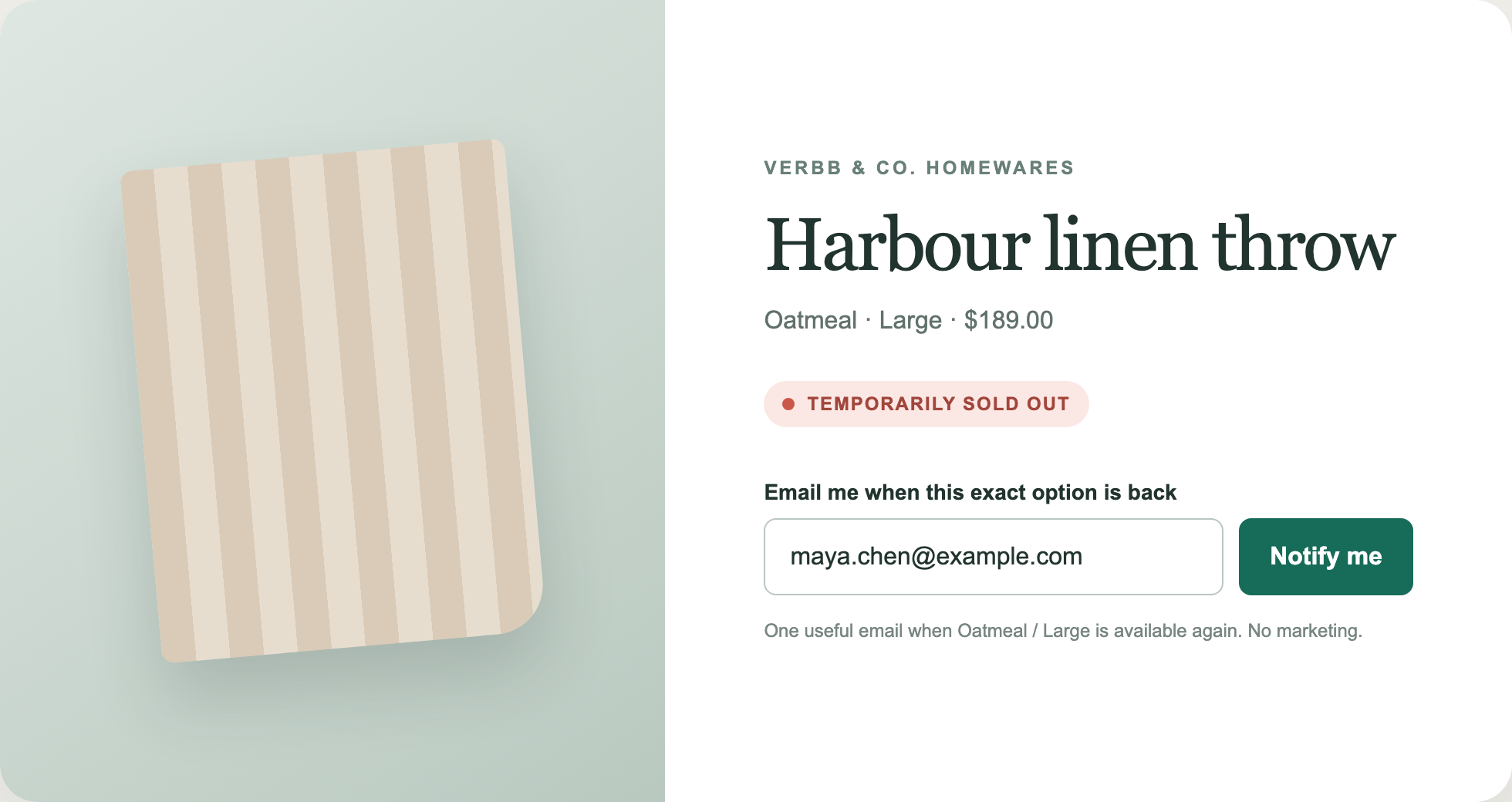
Add an unstyled notification form wherever a sold-out variant appears. Guests and signed-in customers can join the list for the size, colour, or configuration they want, while repeated submissions for the same variant and email address remain a single request.
Choose how many customers to notify
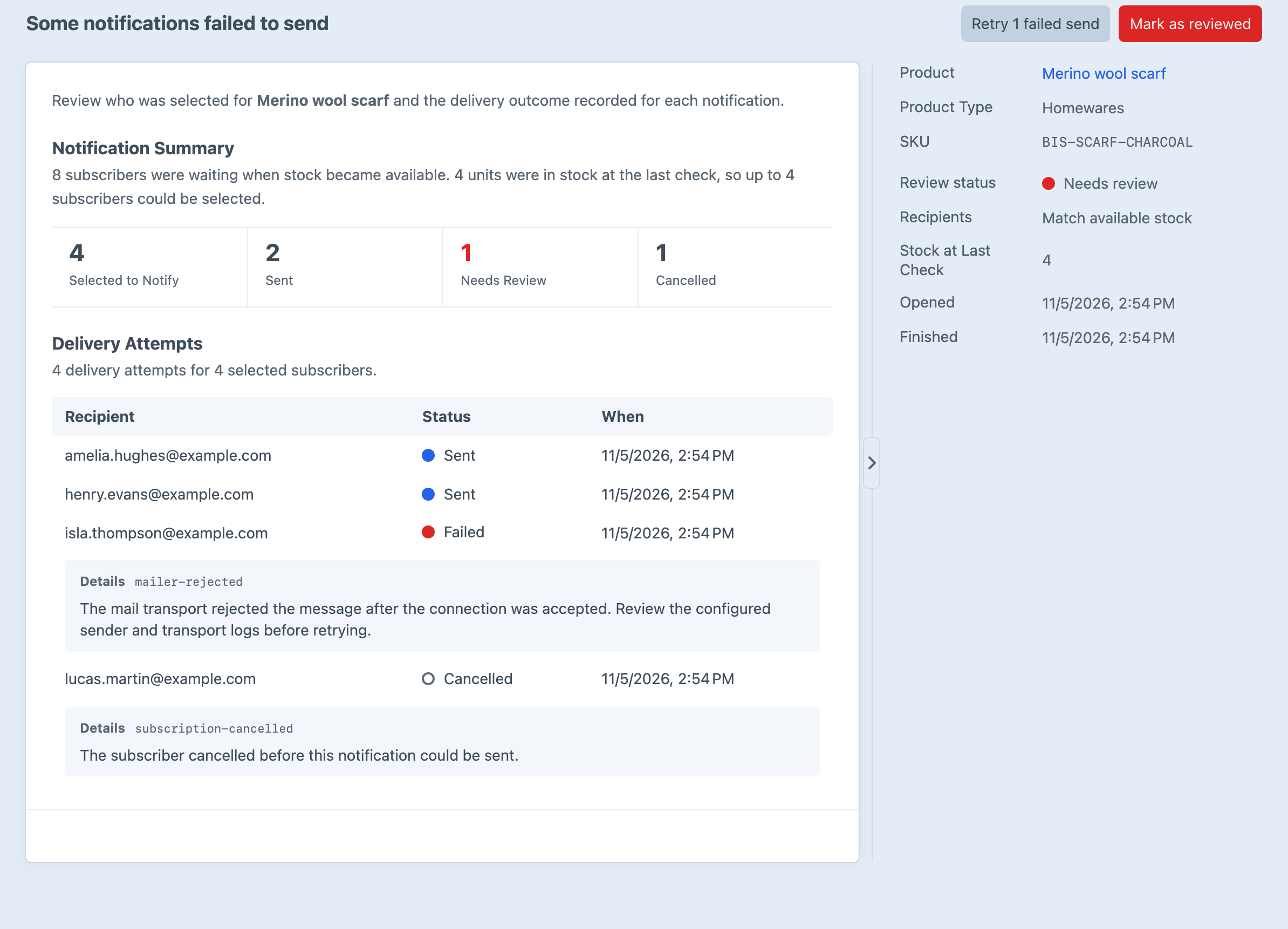
Start with the oldest requests based on the quantity available, increase the number of people contacted for each unit, or notify everyone waiting. Back in Stock groups repeated stock updates while a variant remains available so the same request is not selected twice for that restock.
Find current demand and recent activity
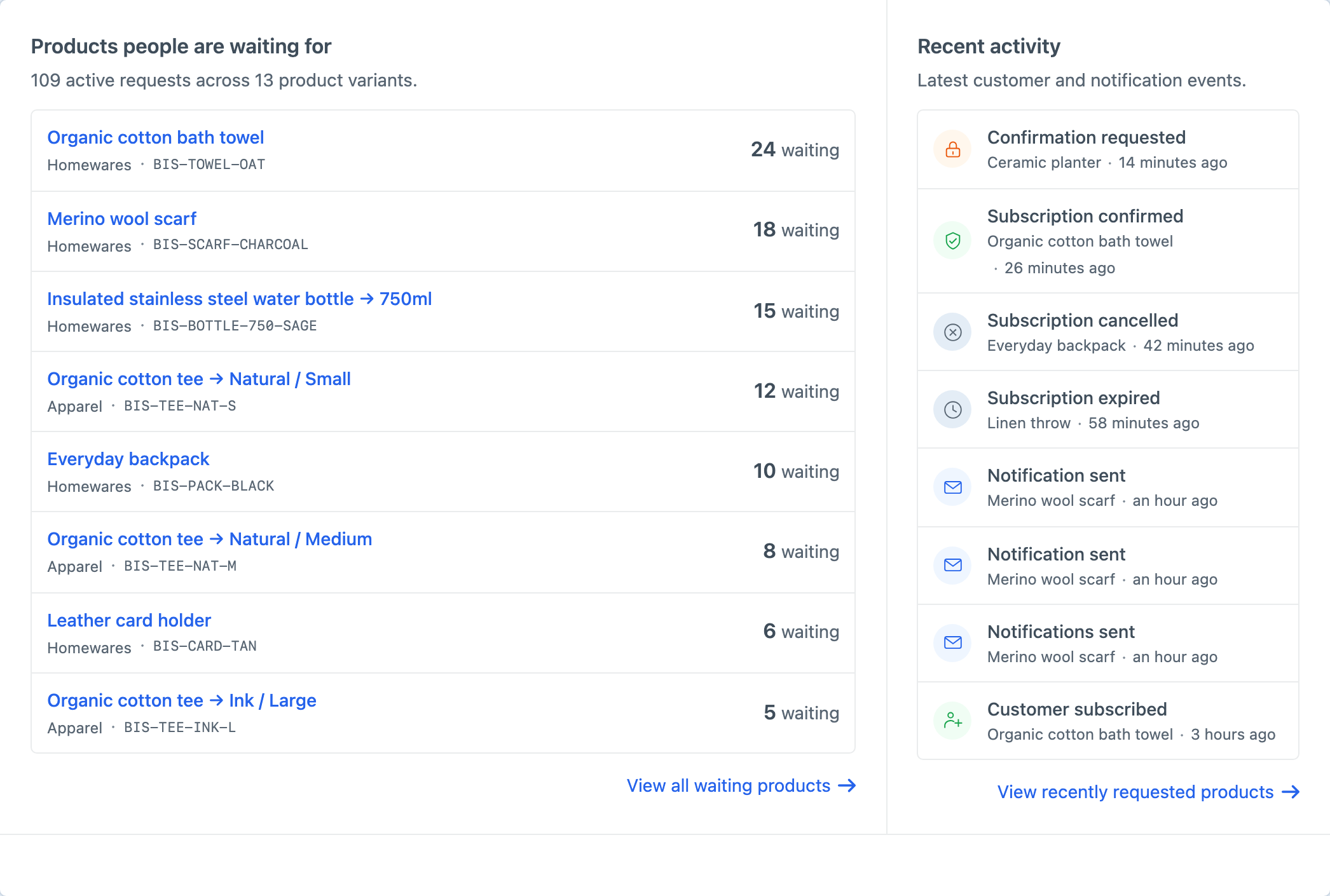
Overview shows which products customers are waiting for, how many people are waiting and the latest activity across the store, so you can gauge demand before the stock arrives.
Find the product or customer you need
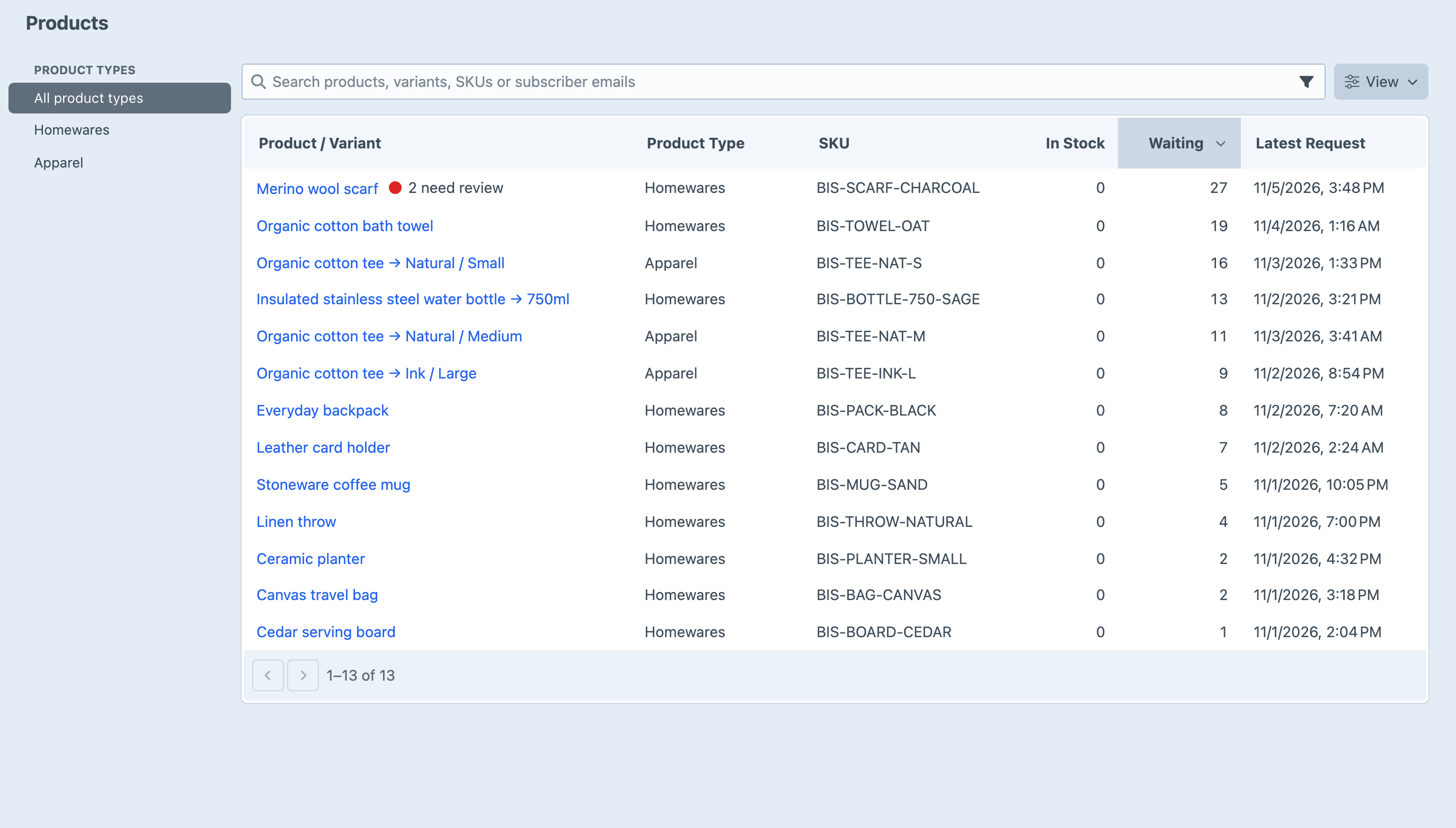
Search by product, variant, SKU, or subscriber email without wading through the full Commerce catalogue. Product type filters and sortable columns make it easy to move from a store-wide question to the exact variant behind it.
Verified interest
Controlled groups
Editable email
One-click cancellation
Notification history
Scheduled checks
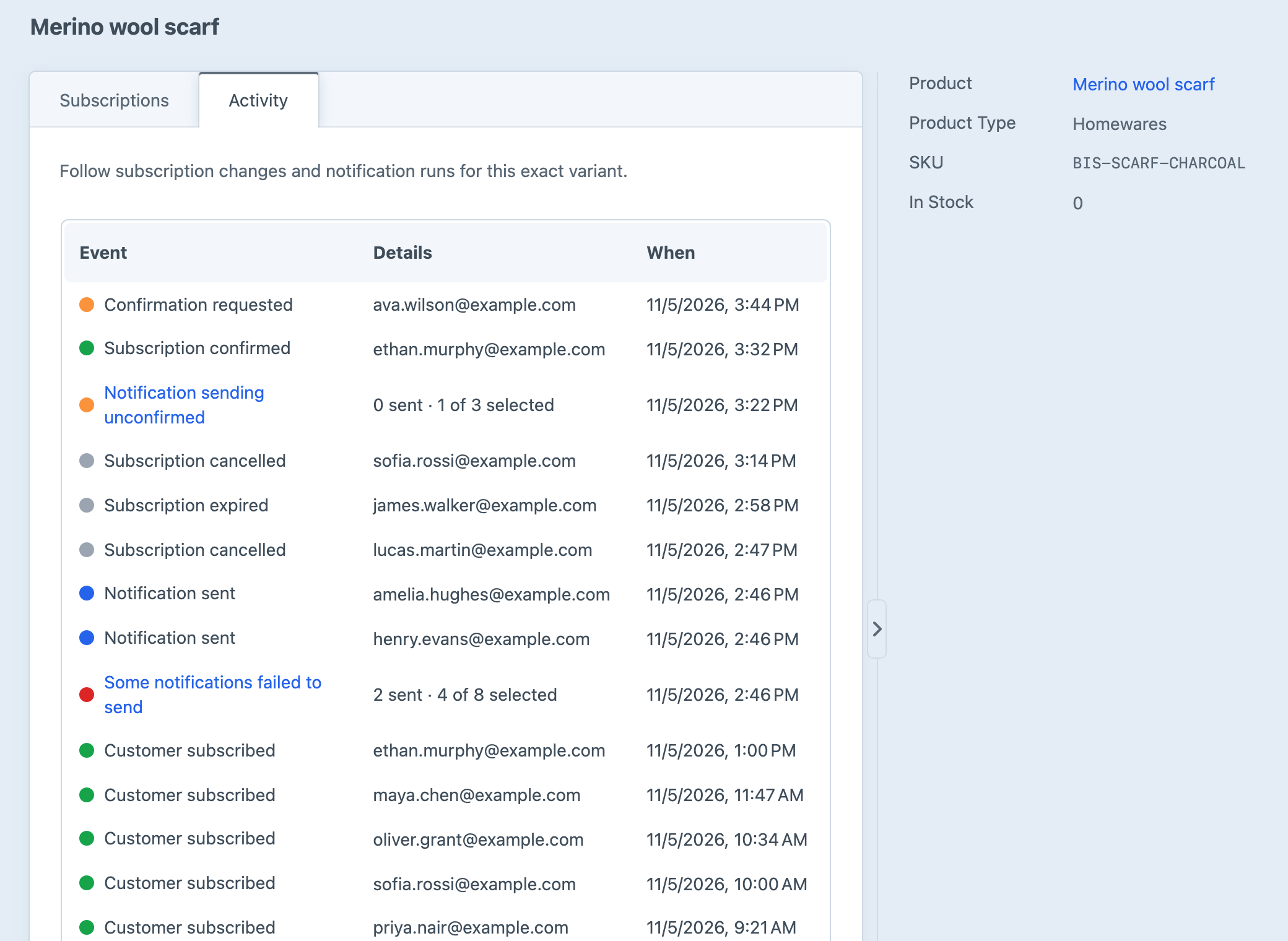
See what happened over time
See customers subscribe, verify, cancel, expire, and receive notifications in one chronological view for each variant.
Get started with Back in Stock
Available for Craft 4 and 5. Get it from the plugin store.