

Back in Stock has a pretty simple job on the surface. When a product's out of stock, a customer leaves their email address and hears from you when it's back. We took the plugin over from its original developer, Myles Beardsmore, in 2024, and the form has never been the hard part. It's everything behind it, like who's actually waiting, whether someone's on the list twice, and how many people to email when only a handful of units turn up.
Version 4.2 is all about that side of things.
See What Customers Are Waiting For
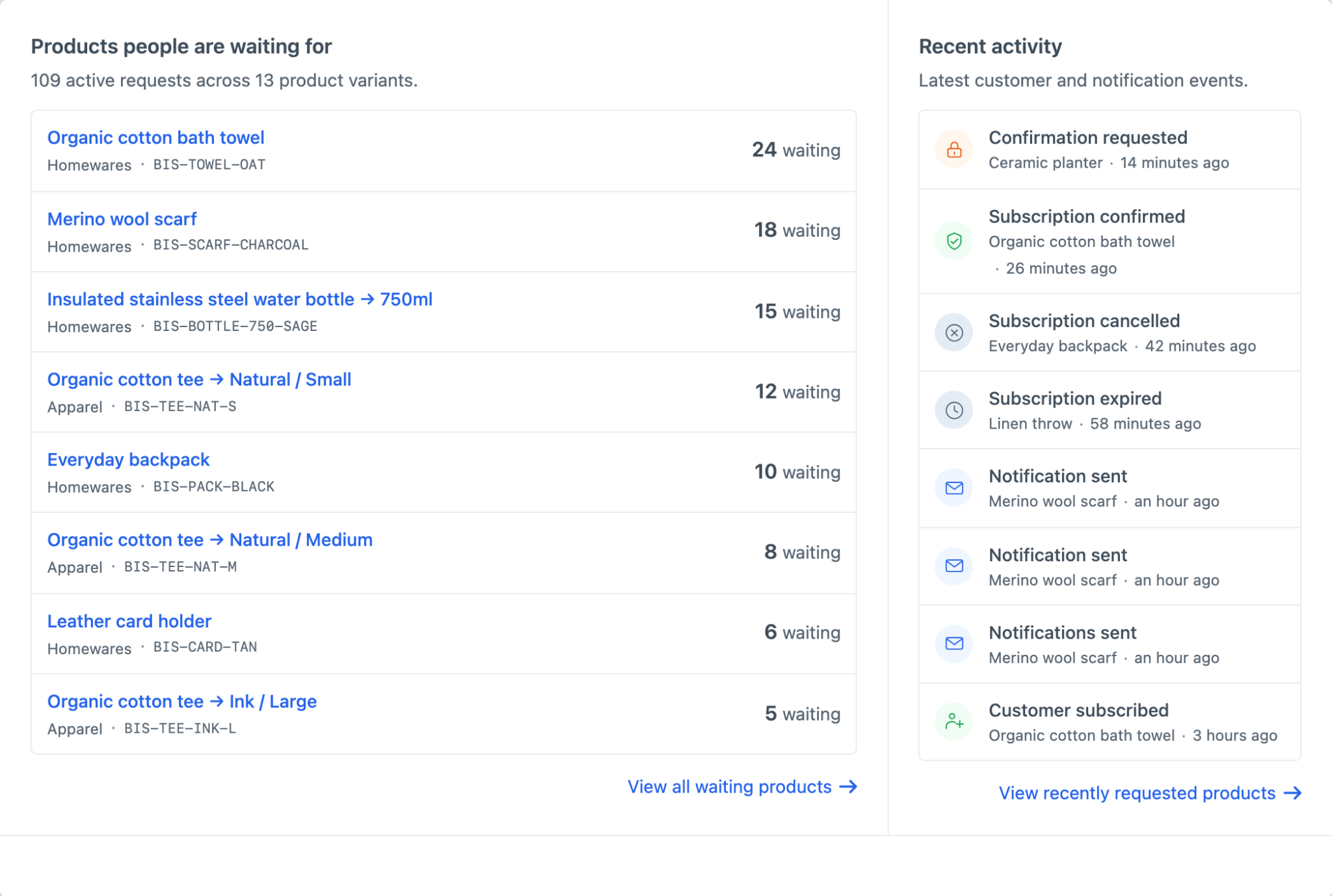
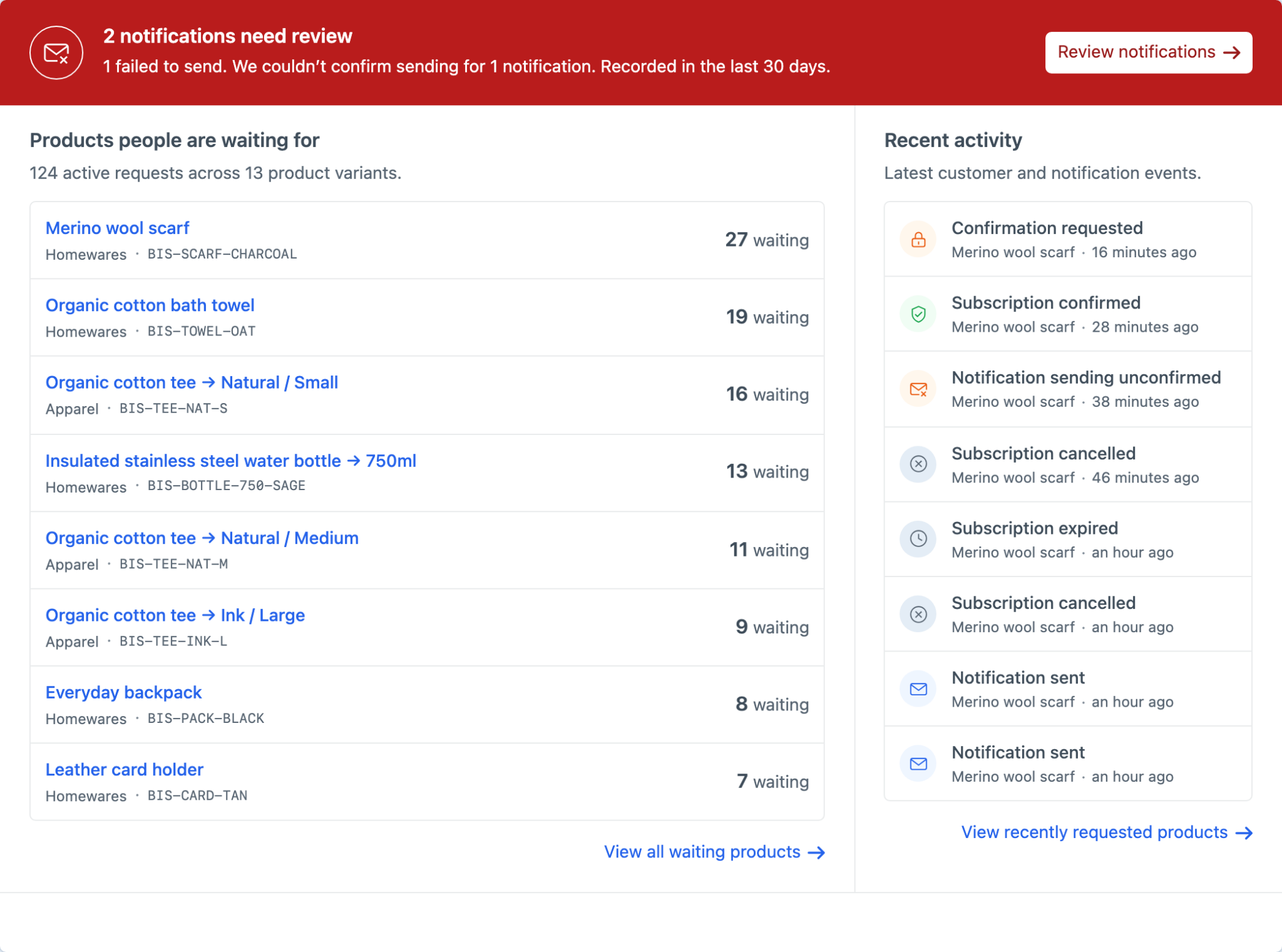
Knowing what customers want most is one of the handiest things a store can learn from Back in Stock. The old Logs screen gave you a list, and 4.2 replaces it with an Overview that puts current demand first. Products are ordered by how many active requests they have, with each variant kept separate, and recent subscriptions and notifications sit alongside them. We didn't want to go overboard with stats and charts, so the Overview sticks to a practical question — what are people waiting for right now?
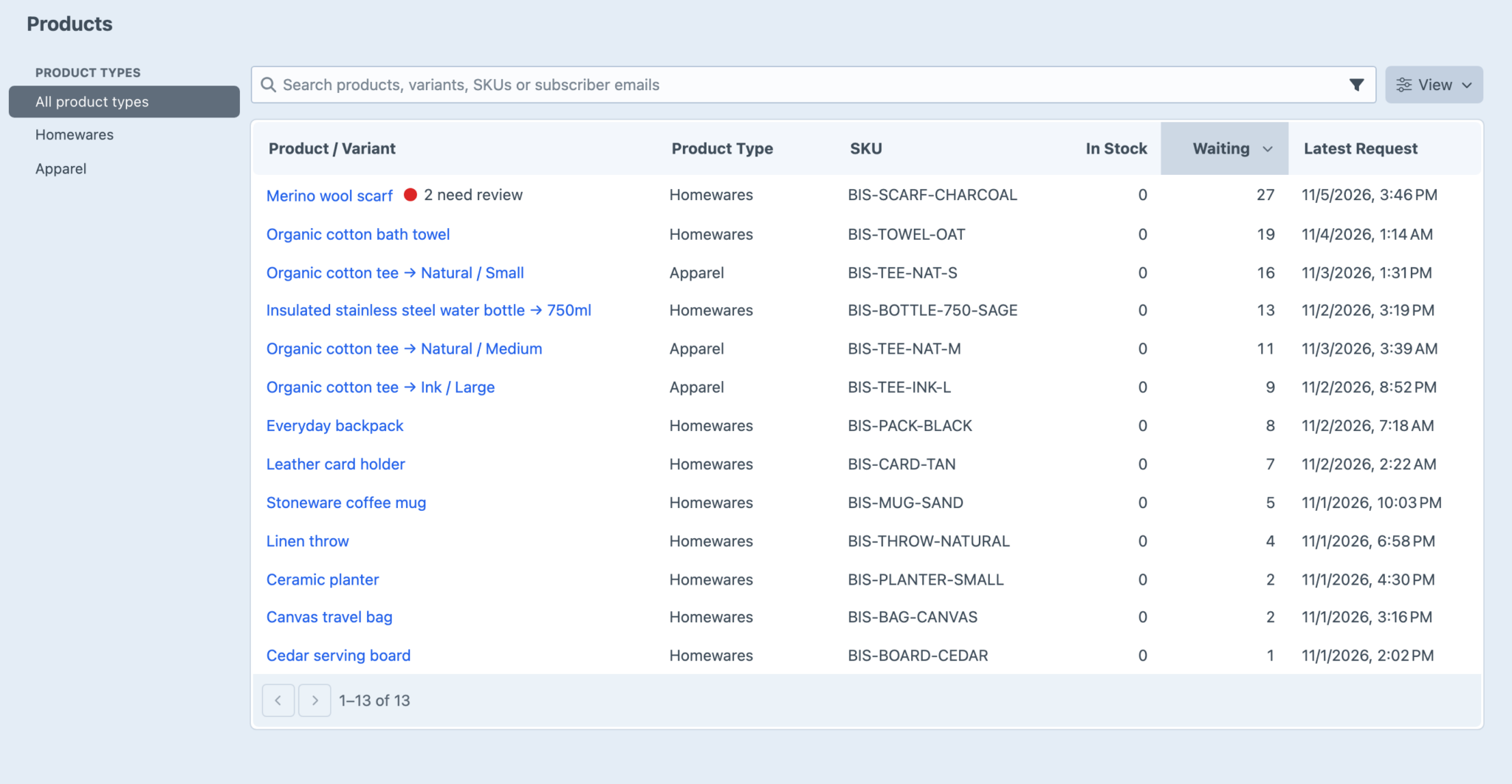
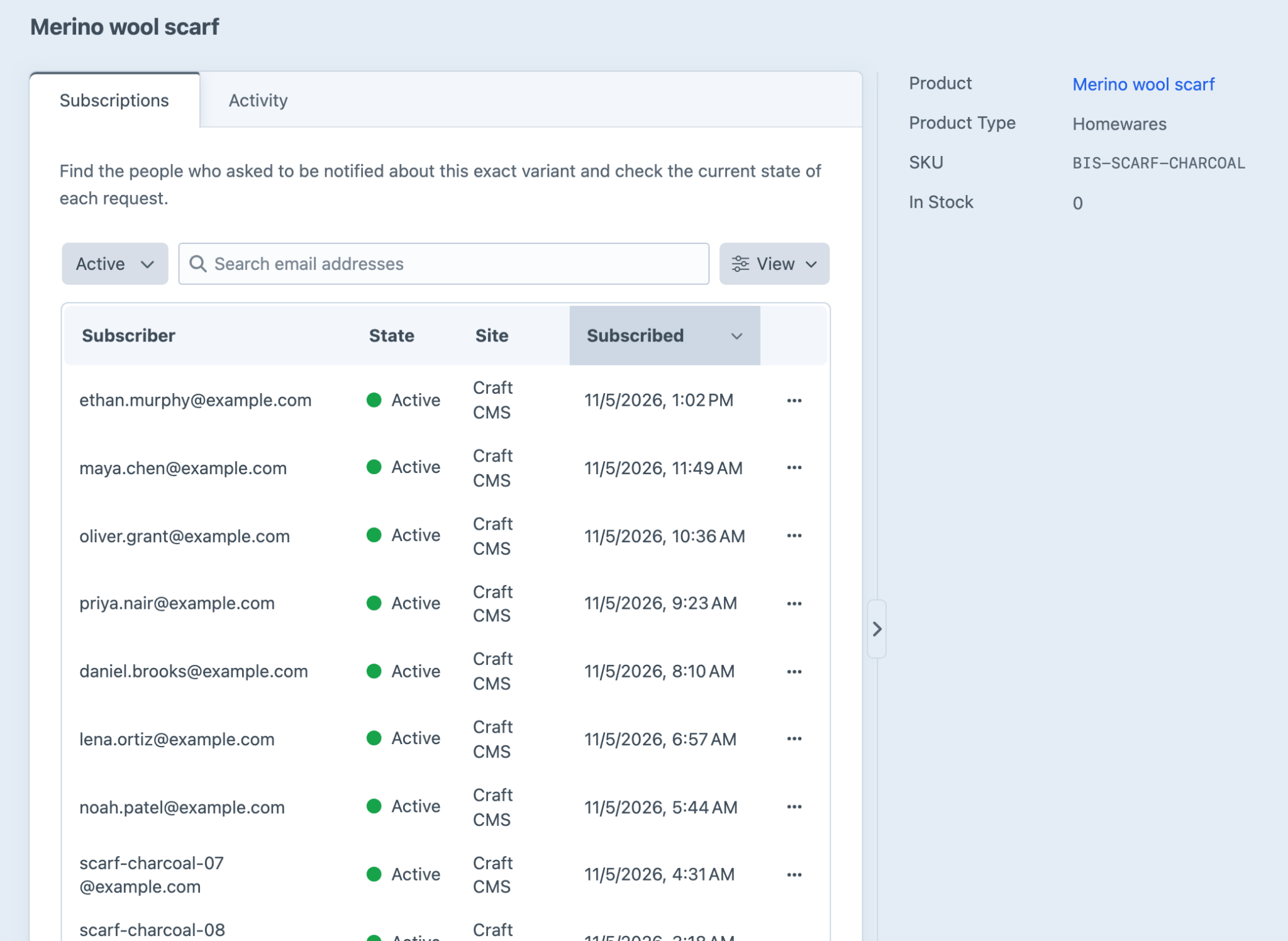
When you need the full list, open Products. It only shows variants with subscriptions or past notifications (not your entire Commerce catalogue), and you can filter by product type or search by product, variant, SKU or subscriber email. That last one is the one you'll want when someone writes in asking whether they're still on a waiting list. Search their address, open the variant, and their subscription and its history are right there.
A Status for Every Request
Every sign-up is now a request with a clear life cycle, from awaiting verification to waiting, notified, cancelled or expired, so you can always tell whether someone's still waiting or has already heard from you.
Double opt-in is optional, for stores that want proof an address belongs to the person who typed it. Signed cancellation links let customers leave a list without needing an account, and old requests can expire after a set time. Each request belongs to one exact variant, along with the site, store and language needed to send the right message, so a customer waiting for Natural / Small isn't added to the list for Natural / Medium too.
Finished requests can stick around for a configurable period before they're cleaned up, and there are new actions (with their own permission) to cancel subscriptions and erase a subscriber's data when someone asks. The Subscriptions guide has the details.
Email Only as Many People as You Have Stock For
Sending 100 “it's back” emails for 2 available units is a fairly efficient way to disappoint 98 people. Back in Stock can now match who gets emailed to the stock you actually have. The oldest waiting customers go first, and Subscribers per Available Unit lets you widen the net, since not everyone who gets the email will buy. Five units with a value of two can select up to ten people, for example. If you'd rather tell everyone at once, Notify all waiting subscribers is still there.
Fresh installs start with stock matching, but existing installs keep notifying everyone after they update, so a routine update won't change who hears about a restock on a live store. Switch it over when you're ready.
Sends go out in queue batches, and before each one, Back in Stock checks the request is still waiting and the variant is still in stock. Repeated Commerce events during the same restock don't keep selecting the same customer either. As a safety net, there's also a new reconcile console command that picks up any inventory changes or stalled notifications that were missed. It also runs during Craft's garbage collection, so you shouldn't need to think about it.
Activity for Each Variant
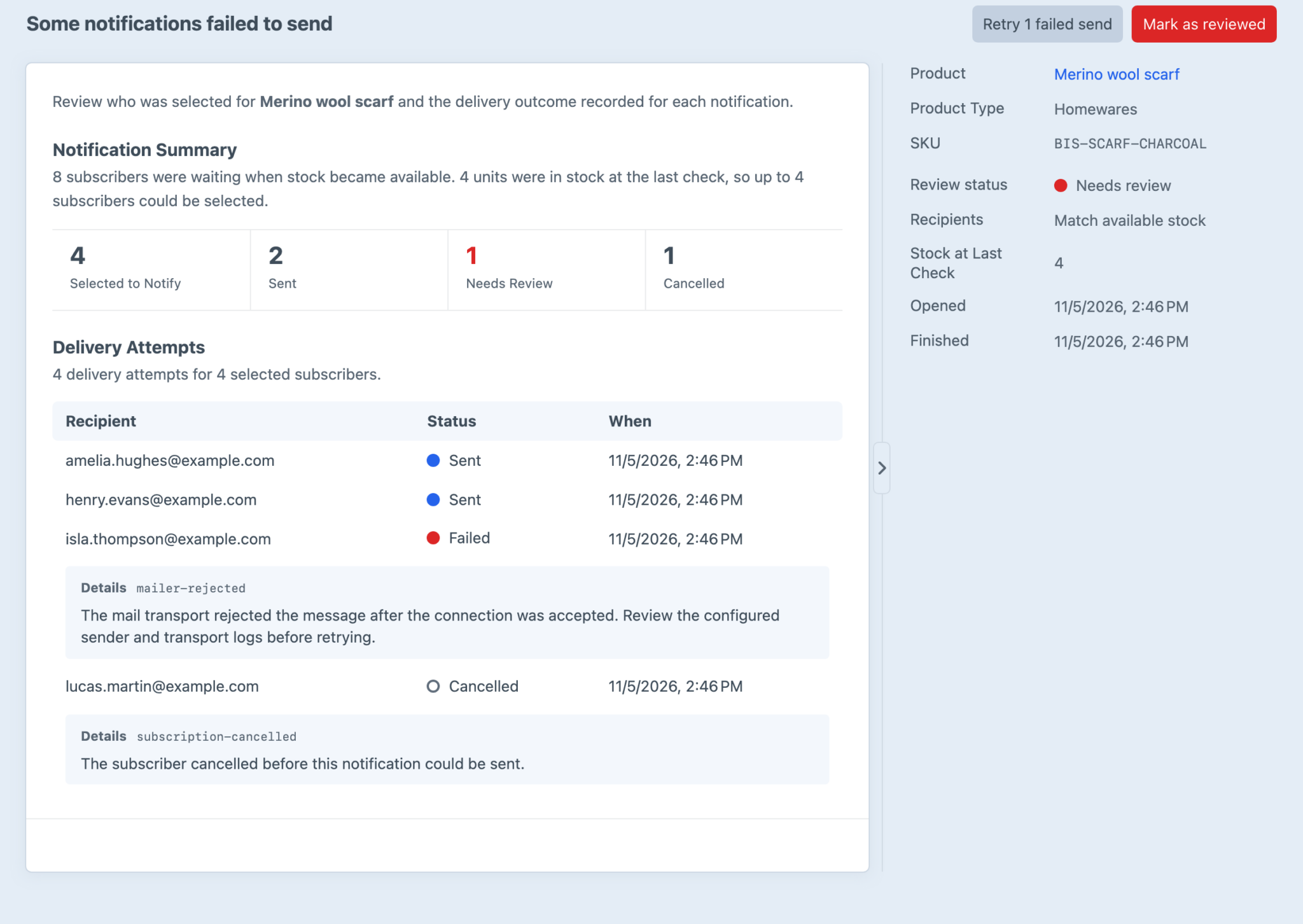
A product's Activity tab now shows everything that's happened for that variant, in order, as customers join, verify, cancel, expire and get notified while stock comes and goes. Notifications open into their own page, because one restock can select a lot of people and a failed send can have more than one attempt.
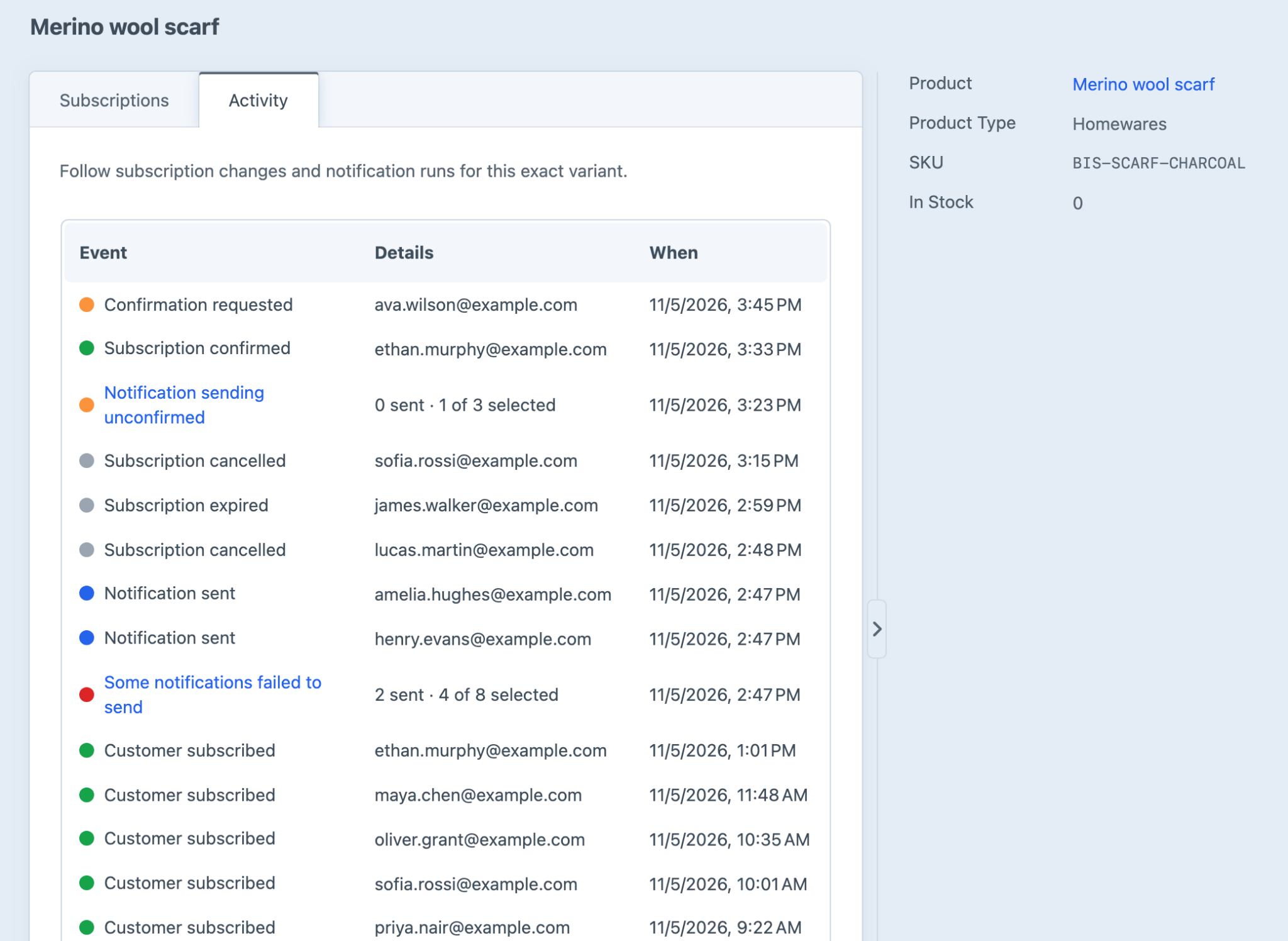
We've also been careful about what “sent” means. Sent means Craft's mailer accepted the message, not that it reached an inbox, got opened or sold anything. If a send fails before the mailer gets it, it's retried up to a limit you set. If processing stops partway and we can't tell whether the mailer accepted it, it's marked Sending unconfirmed and left for you to look at. That's better than guessing and sending someone the same email twice.
Anything failed or unconfirmed shows up in Overview, where you can retry it or mark it as reviewed.
The notification page brings together everyone it selected, their latest outcomes and timestamps, and any error details recorded along the way. The Notification Activity guide explains each outcome.
Edit the Emails in System Messages
The confirmation, verification and availability emails are now Craft System Messages, with localised subjects and bodies for multi-site projects. Your existing email templates and saved subjects are kept when you update, and you can still use your own Twig templates when you want full control of the markup.
Extras
- Use a custom variant field for stock with the
stockFieldHandlesetting, including for variants with unlimited Commerce inventory. craft.backInStock.isVariantInStock()lets your storefront form follow the same stock rules as the plugin.- New developer events for subscriptions changing state, recipient selection and completed sends.
- The old Log and Inventory APIs are deprecated, but they keep working throughout 4.x.
The changelog has the rest.
Back in Stock 4.2 (opens new window) is available today for Craft 5 and Commerce 5.5 or later.