

Updates to Table Maker, Icon Picker, Video Picker, Metrix and Timber are now available for Craft 5, bringing refreshed interfaces, better accessibility and new features across all five plugins.
These releases build on Plugin Kit, our shared toolkit for building plugin interfaces within Craft. As part of that work, we’ve taken the opportunity to revisit how each plugin works and where we can make everyday tasks easier.
There’s quite a bit to show you, from pasting spreadsheets into Table Maker to connecting more video and analytics providers.
Table Maker
When we acquired Table Maker from Supercool, our first priority was keeping this much-loved field available for modern versions of Craft. With this release, we've given the editing experience a much bigger update.
Table Maker still gives editors a familiar way to create structured tables, with a few handy shortcuts. You can paste cells directly from a spreadsheet, and Table Maker will add rows as needed within your field limits. Need to squeeze something into the middle? Insert a row above or below an existing one.
Column setup now lives in a dedicated dialog, leaving more room in the field for entering content. The Configure action can sit alongside the field label or inside the table header, where it also appears automatically when a field doesn't have a visible label.
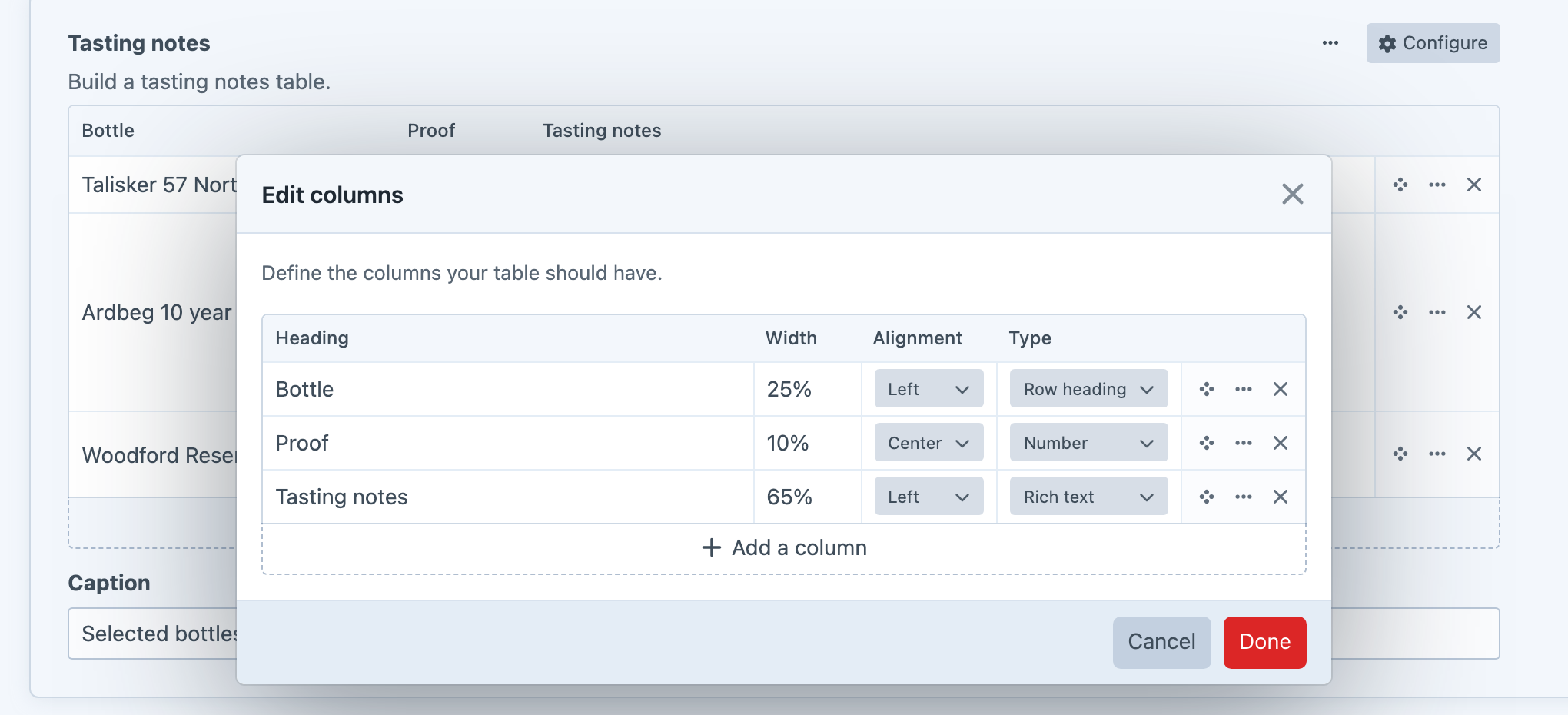
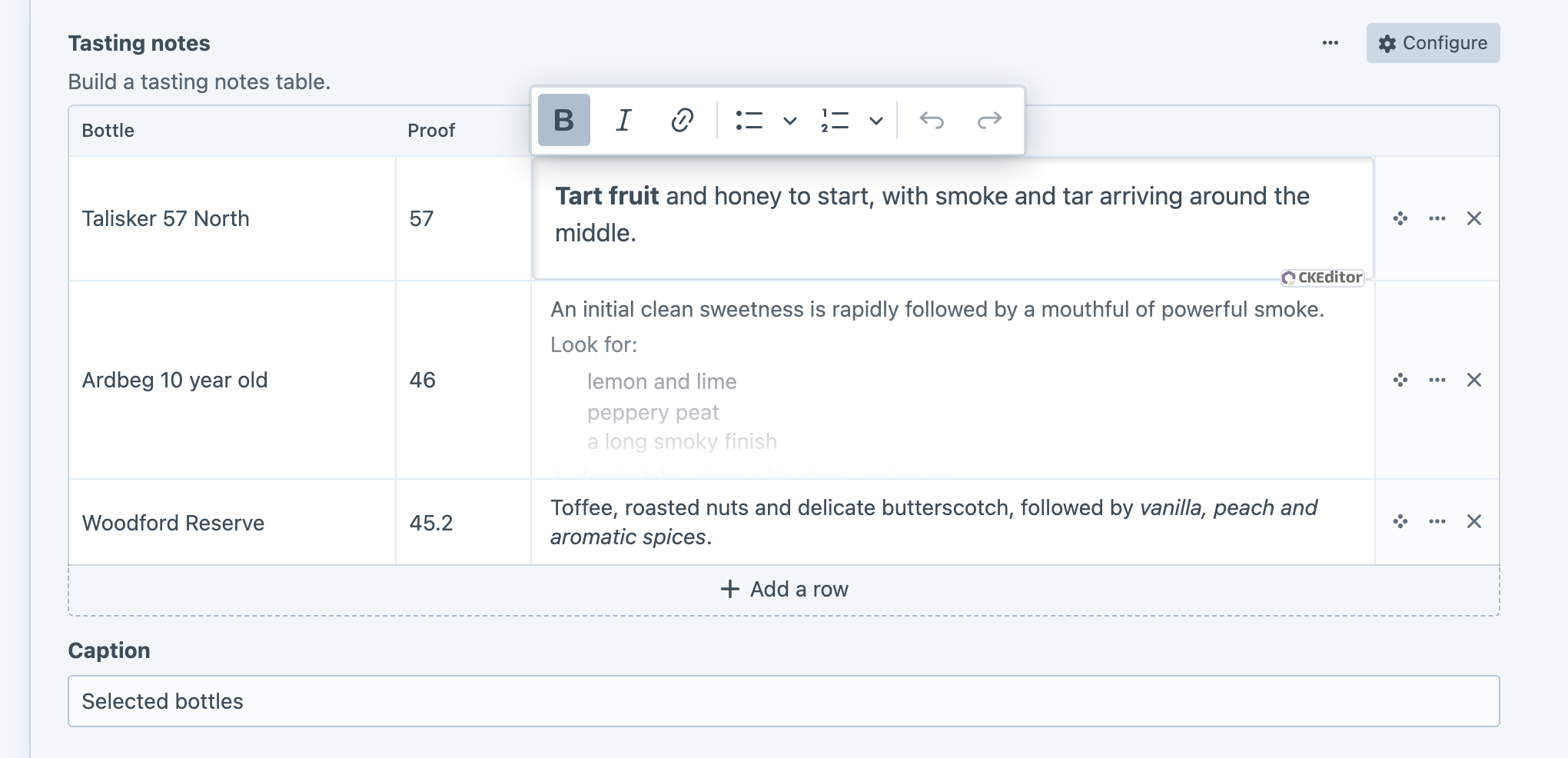
We've also added rich text as a column type when Craft's CKEditor plugin (opens new window) is installed. Formatting remains visible in the table while you're not editing, making rich text easy to distinguish from a plain multi-line text field. Longer content is capped with a gentle fade, so one large cell doesn't take over the entry screen.
Rich text opens in a focused modal by default, which works well when a table has lots of columns. For simpler tables with only one or two columns, developers can choose inline editing in the field settings instead. Only the active cell loads CKEditor, keeping the field responsive without filling every row with an editor toolbar.
There's more control over the table itself, too:
- Set minimum and maximum rows and columns.
- Restrict the column types available to editors.
- Mark a column as a row heading.
- Add an optional caption to each table.
Developers can also pass custom attributes when rendering table HTML, and create or update field values through GraphQL mutations.
Table Maker 5.1 (opens new window) is now available free for Craft 5 in the Craft Plugin Store.
Icon Picker
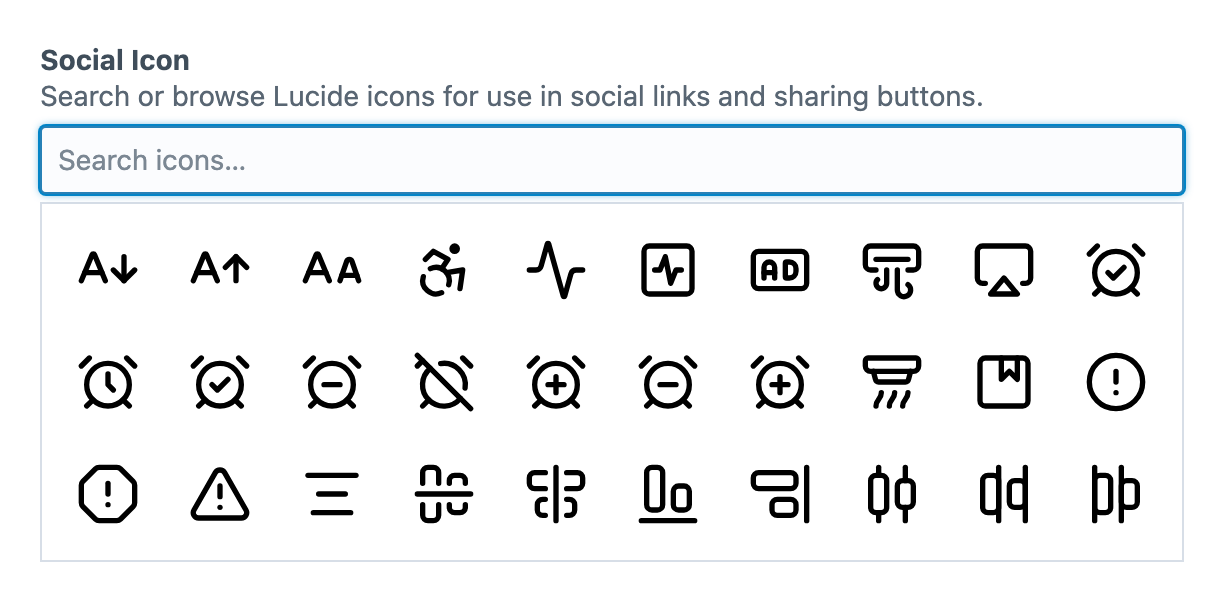
Icon Picker now includes built-in sets for Bootstrap Icons (opens new window), Remix Icon (opens new window), Material Design Icons (opens new window), Phosphor (opens new window), Lucide (opens new window), Tabler Icons (opens new window), Heroicons (opens new window) and Octicons (opens new window). We've also added the latest Ionicons (opens new window) alongside the existing legacy set.
The picker has been rebuilt with Plugin Kit for better performance making it easier to browse with a keyboard. Use the arrow keys to move through the grid, or Home and End to jump through the results.
Larger SVG libraries also have less to load upfront. Icon Picker no longer sends every SVG’s full contents to the browser upfront, reducing the initial load for larger libraries. Icons are also better isolated, preventing styles inside one SVG from interfering with another.
Icon Picker 3.1 (opens new window) is now available for Craft 5 in the Craft Plugin Store.
Video Picker
Video Picker launched with support for YouTube (opens new window) and Vimeo (opens new window). You now have six more providers to choose from:
- Bunny Stream (opens new window)
- Cloudflare Stream (opens new window)
- Dailymotion (opens new window)
- Mux (opens new window)
- Sprout Video (opens new window)
- Wistia (opens new window)
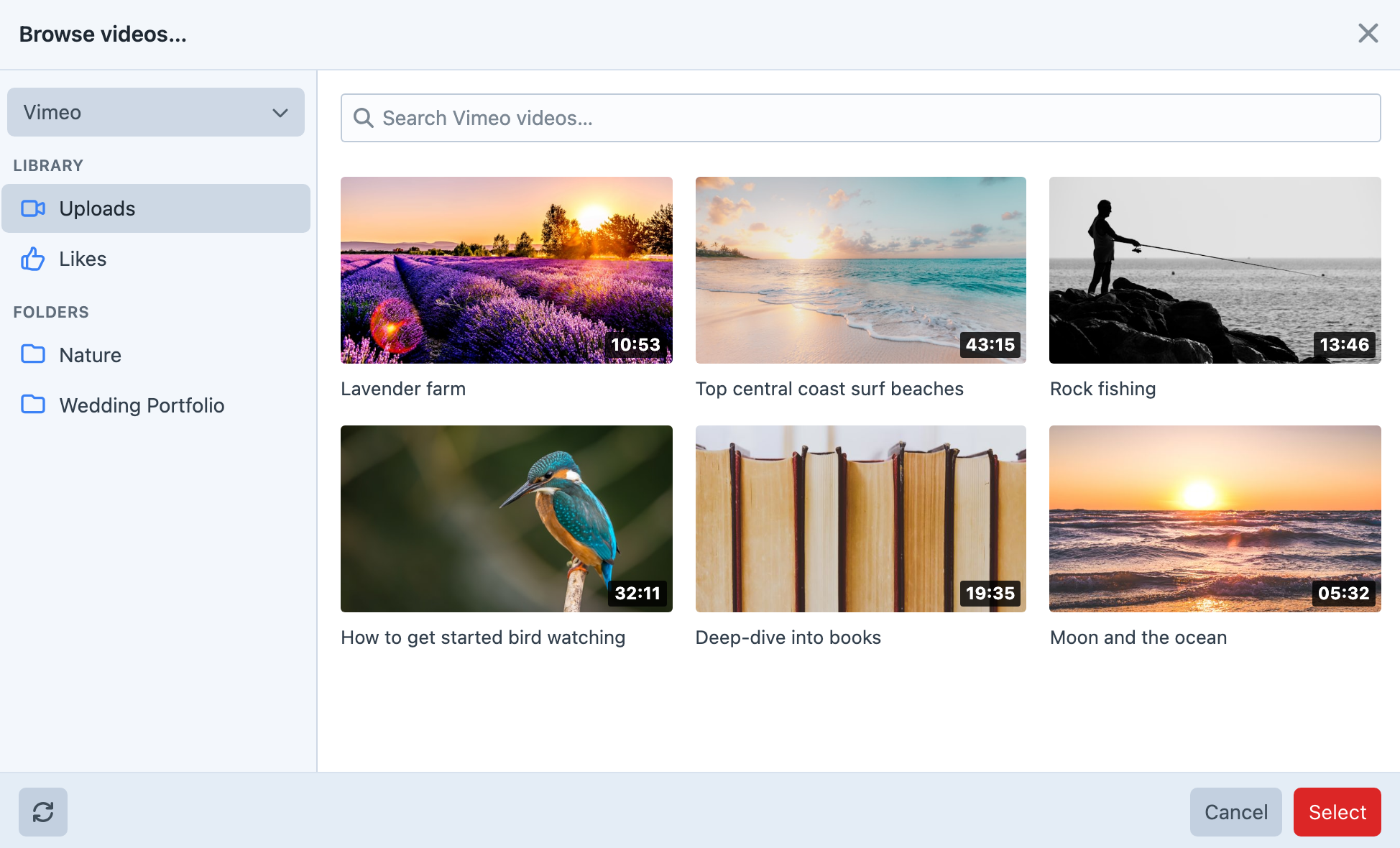
Each field can be tailored to the videos your editors need. Choose which sources are available, allow direct URL entry or search, set duration limits, and require public videos.
Fields can also define default embed settings for autoplay, muting, looping and controls. For YouTube, Privacy Enhanced Mode adds support for youtube-nocookie.com embeds.
The rebuilt explorer and preview bring better keyboard navigation, layouts that adapt to smaller screens, and clearer messages when videos are loading, private or unavailable.
We’ve improved how video details stay up to date, too. They’re refreshed periodically, while previously fetched information can remain available if a provider is temporarily unreachable.
Video Picker 2.1 (opens new window) is now available for Craft 5 in the Craft Plugin Store.
Metrix
Metrix now connects to four more analytics providers:
- Umami (opens new window)
- GoatCounter (opens new window)
- Simple Analytics (opens new window)
- Pirsch (opens new window)
We’ve also made it easier to build dashboards across different providers. Common metrics and dimensions use shared terms, so you can find visitors, page views and referrers without having to learn each platform’s vocabulary. New dashboard presets use those same terms to help you get started.
An optional dashboard date-range control lets you update all widgets at once. Line charts can compare results with the previous period, making it easier to see how your traffic has changed.
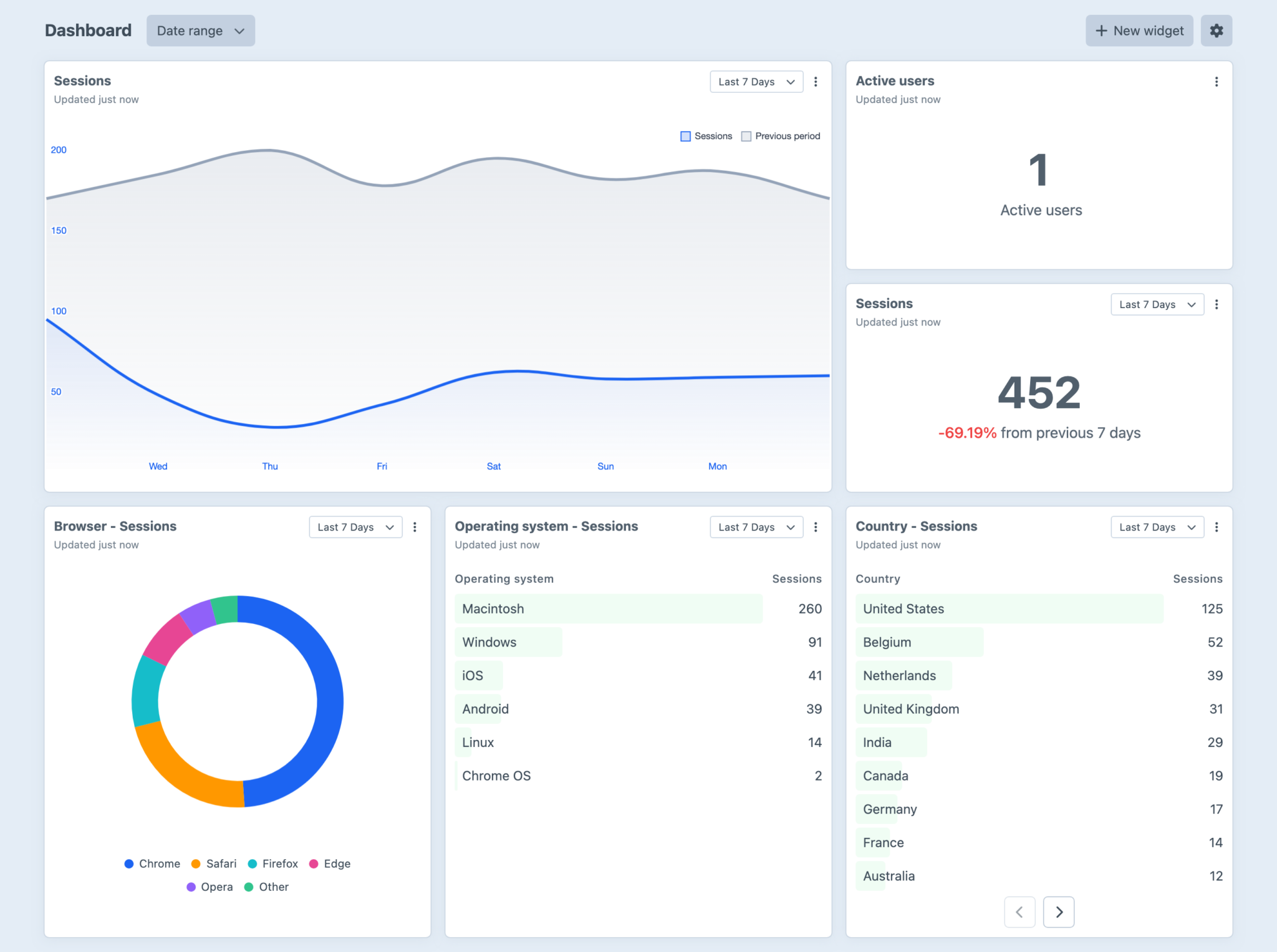
Individual widgets get more flexibility, too, with custom titles, subtitles and row limits. Manual refresh controls and clearer update times let you see how fresh the data is and request an update when you need one.
For multi-site projects, you can scope a View to a Craft site, hostname or path. That means one analytics source can serve several focused dashboards, each showing the traffic relevant to a particular site or audience.
Metrix 2.1 (opens new window) is now available for Craft 5 in the Craft Plugin Store.
Timber
Timber now lets you inspect more kinds of log files inside Craft, with support for rotated, compressed and plain-text logs.
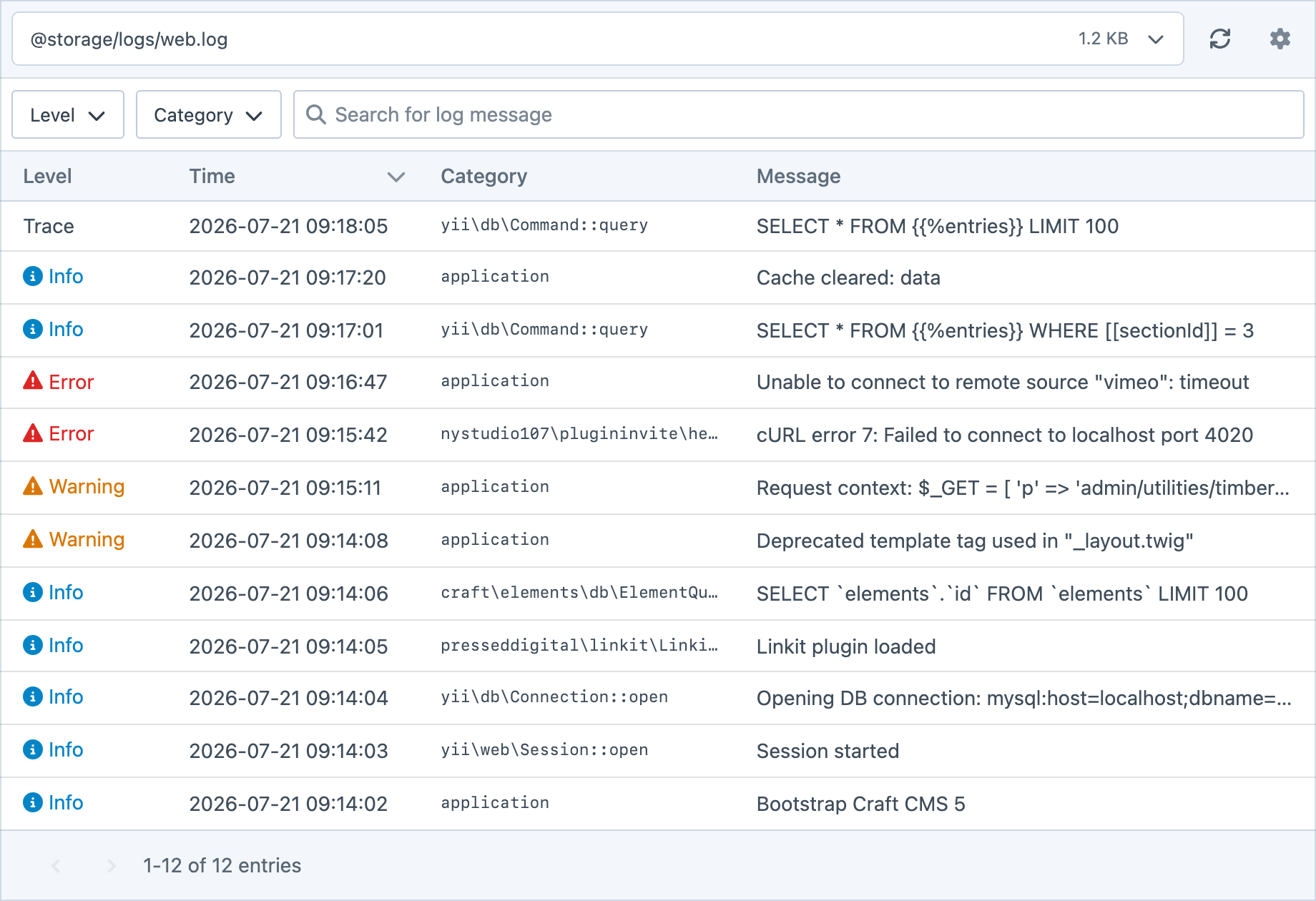
The rebuilt Logs utility includes a searchable file picker, improved layouts on smaller screens and better keyboard navigation. Parsing is more flexible across Craft and plugin log formats, and lines Timber doesn’t recognise stay visible. A log viewer should probably let you see the logs.
Administrators can control access to individual files, giving users access to the logs they need. Developers with specialised logging requirements can use new events to modify the available files and register custom parsers.
Timber 2.1 (opens new window) is now available for Craft 5 in the Craft Plugin Store.
Plugin Kit
Behind these updates is Plugin Kit, our shared toolkit for building interfaces within Craft. It brings together the controls and behaviours we need to build on Craft’s familiar editing experience, giving us more room to focus on what each plugin helps you do.
Accessibility has been a focus throughout. Across these releases, we’ve improved keyboard navigation, focus behaviour, screen-reader feedback and touch targets, with support for reduced-motion preferences where relevant.
These changes aren’t always obvious in a screenshot, but they matter every time someone uses the interface.
That’s a Wrap
All five updates are available now for Craft 5. Take a look through each plugin’s changelog for the full details, give the updates a go, and let us know how you get on.