

Hyper 3 has left beta and is available today for Craft 5.9 and later. We've rebuilt the editing interface, added shared link type configurations, and improved how Hyper loads linked content. Whether you're adding a single button or managing a whole list of resources, there's less repetitive work between you and a finished page.
This is a major release. If you're upgrading from Hyper 2, take a look at the upgrade guide before updating, particularly if you use custom GraphQL queries, HTML link labels, or environment variables in your link destinations.
A Rebuilt Editing Experience
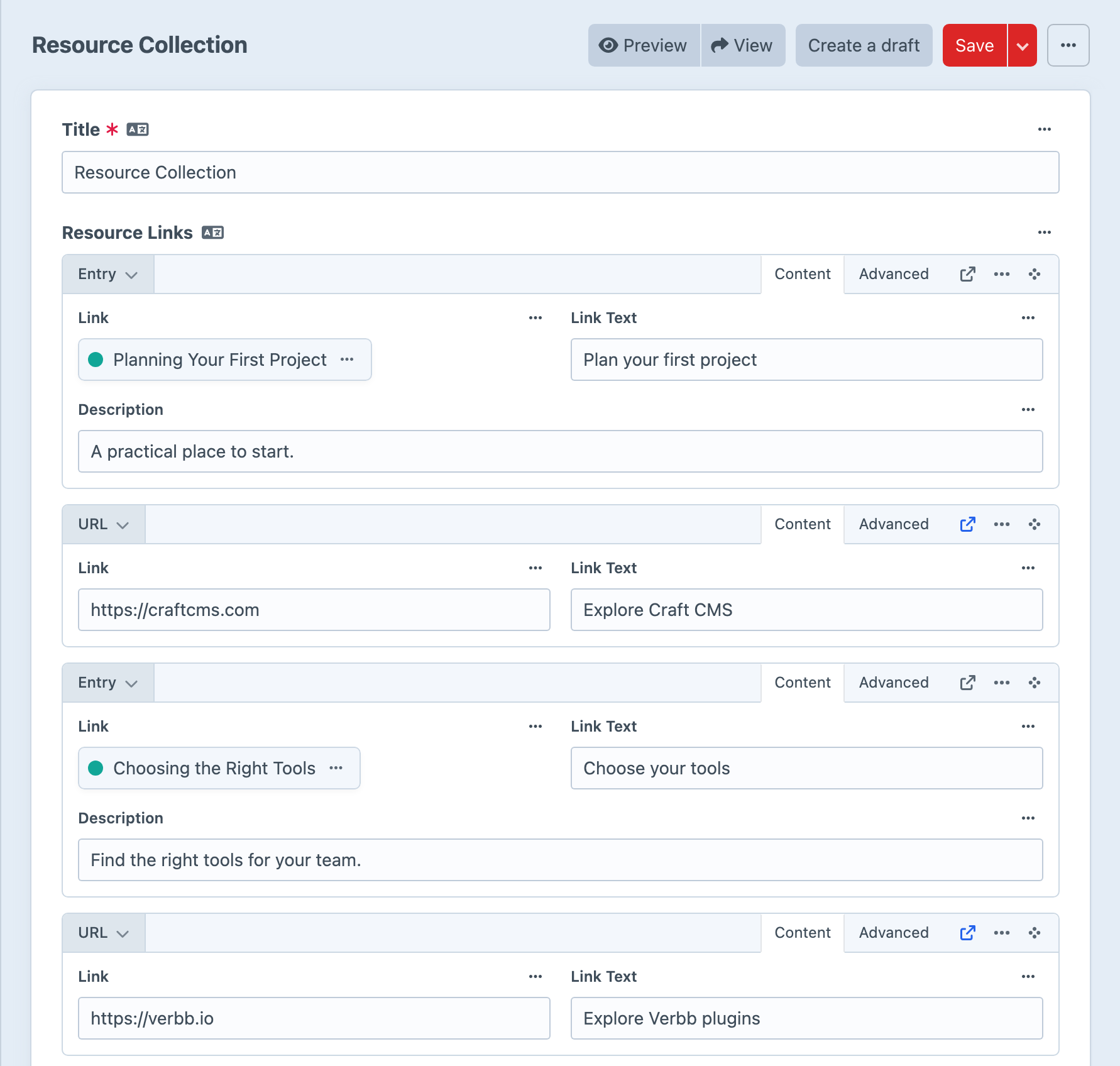
Hyper 3 gives links a new home in the control panel. Each block has a compact header, with inline tabs for switching between its content and additional settings. Editors can keep the main destination in view and reach optional fields without opening a separate panel — no more slide-out panel.
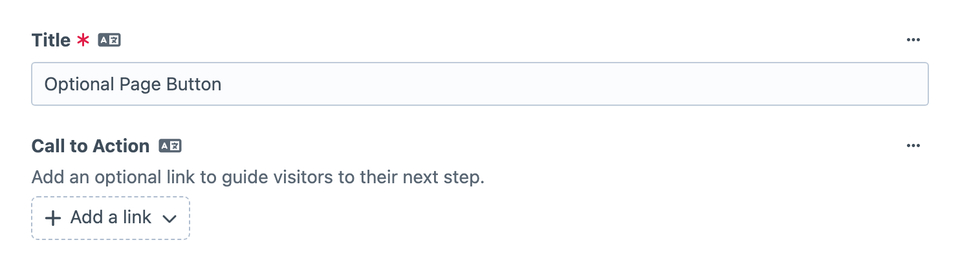
Empty single-link fields now start with an Add link action, just like multi-link fields. You choose when to add a link, rather than starting with a blank block to fill in.
Blocks or Cards
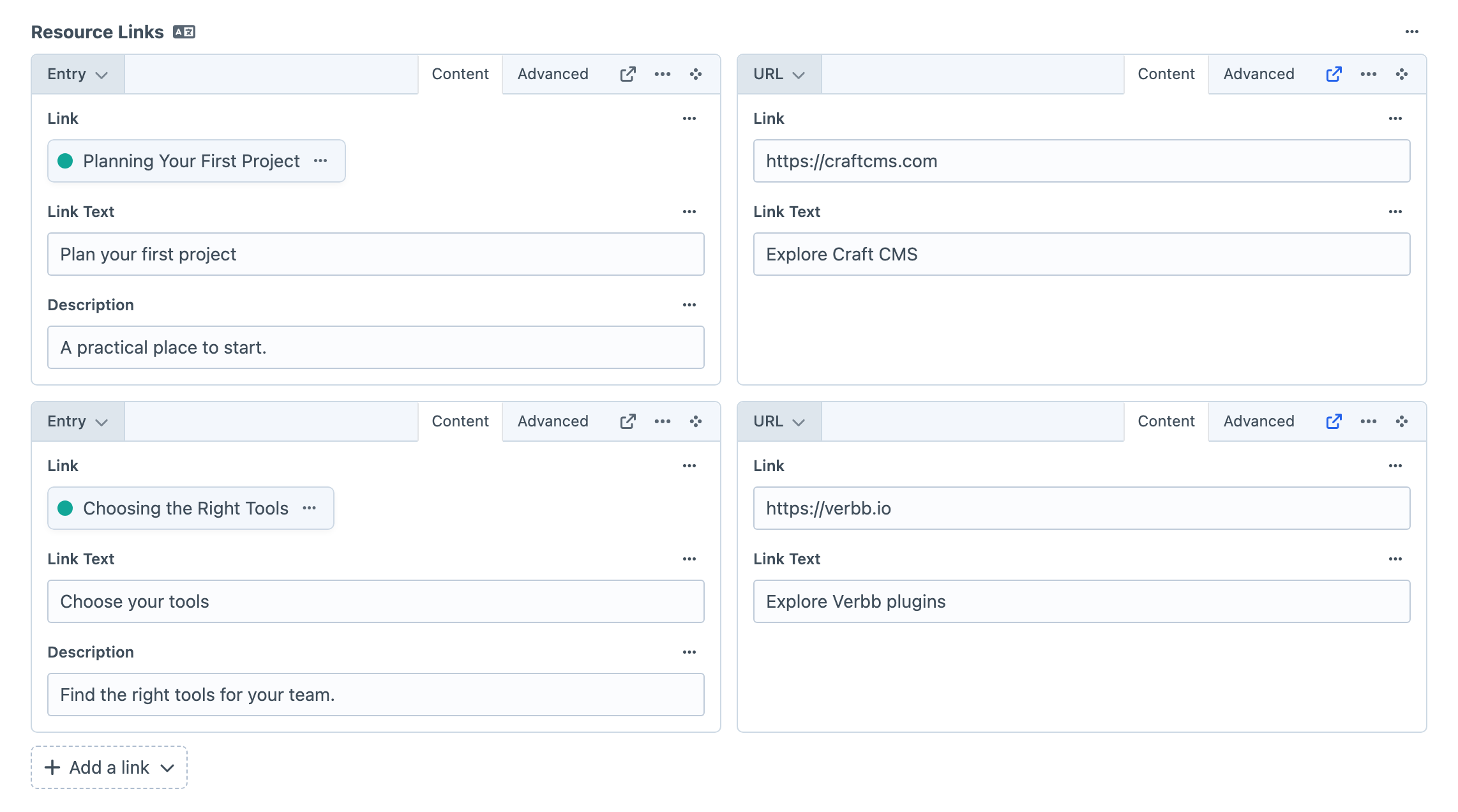
Multi-link fields now offer a View Mode setting. Keep Blocks for stacked rows with room to edit, or choose Cards for a compact grid that's handy for navigation and resource lists.
Bulk Adding
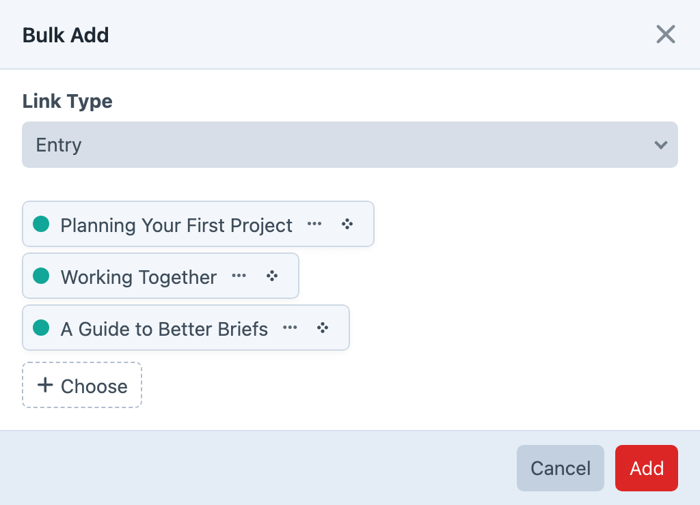
Building a list of related articles no longer means opening the picker for every link. Enable Bulk Add on a multi-link field, choose an element link type, and select several items together. For URL, Email, and Phone links, enter one value per line.
Hyper creates the links for you, ready for any labels or custom fields you want to add. Your clicking finger gets a break.
You can also Copy, Cut, and Paste links between compatible Hyper fields, including fields on other entries or inside Matrix. The destination needs the relevant link type enabled, and custom fields are matched by their handles. It's useful for reusing a contact link or moving a resource to another page without entering it all again.
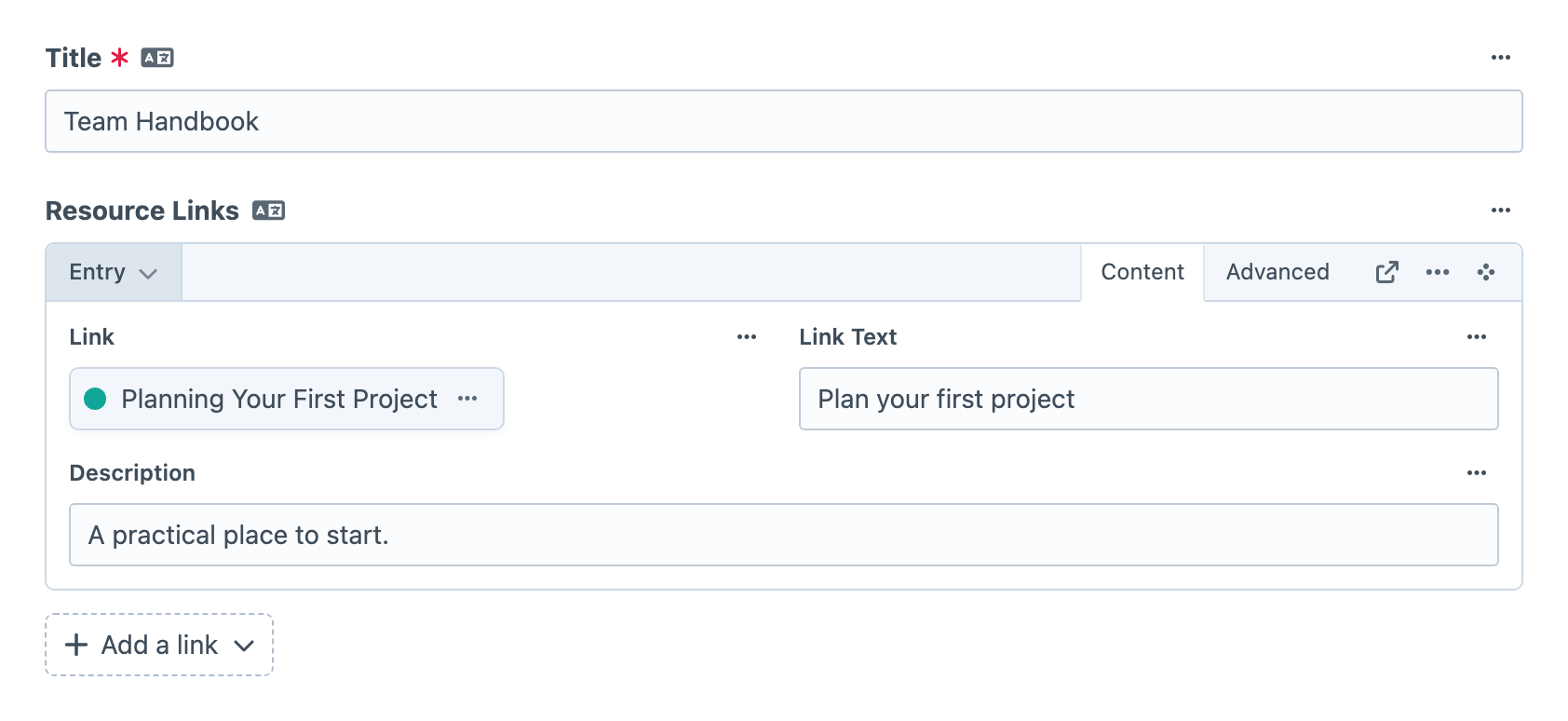
See the field overview for the editing options and clipboard behaviour.
Share Link Settings Across Fields
If your page buttons and footer links should offer the same destinations, you can now configure them together. Link Type Configs let several Hyper fields share their enabled link types, labels, and layouts.
Create a named config in Hyper's settings, then select it on each field that should use it. Change the config later and every field using it gets the updated settings. Each field still decides independently whether it accepts one link or several.

A field that needs its own setup can choose Custom instead. Hyper copies the selected config's link types as a starting point, and subsequent edits apply to that field alone.
The Link Type Configs guide walks through creating, sharing, and updating a configuration.
More Control Over Link Selection
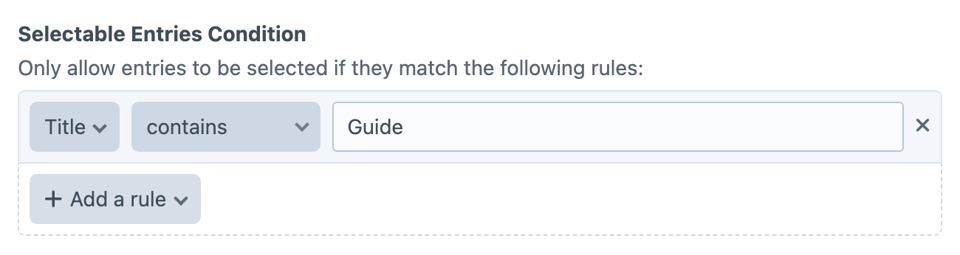
Entry, Asset, and User links now support Craft's native selection conditions, so you can narrow the available content beyond its source. Those conditions apply when selecting an individual destination and when using Bulk Add.
You also have more control over when fields appear inside a link. Conditions for text-based links can use the Link Value and sibling custom fields. For element links, rules such as Section, Type, and Slug evaluate the selected element, so you can tailor a link's fields to the content it points to.
Better Loading for Linked Content
A related-articles list might need each destination's title, URL, and thumbnail. Loading those separately for every link can add repeated database queries as the list grows.
Hyper 3 automatically batches linked elements on normal frontend requests. For additional content such as thumbnails, developers can use Craft-style with() eager-loading paths to load those fields together too, including supported paths through Matrix and Neo. The eager-loading guide covers the setup and its limits, including Hyper fields inside Vizy.
We've also replaced Hyper's element cache tables with a relation index built from saved link content. Incoming-link queries through craft.hyper.getRelatedElements() now use that index, so they no longer depend on cached destinations. For example, a resource page can list the articles that recommend it. See the reverse-relations guide for a working example.
There's no Hyper element cache to clear or manually warm up. If you'd like to inspect the effect on your own templates, the performance guide explains how to compare queries using Craft's debug toolbar.
More Options for Each Link
The new Passive link type gives you a label and custom fields without a URL. Use it for a heading in a menu or resource list, alongside links to pages and external websites. Your template can render the heading as text while rendering the other items as anchors.
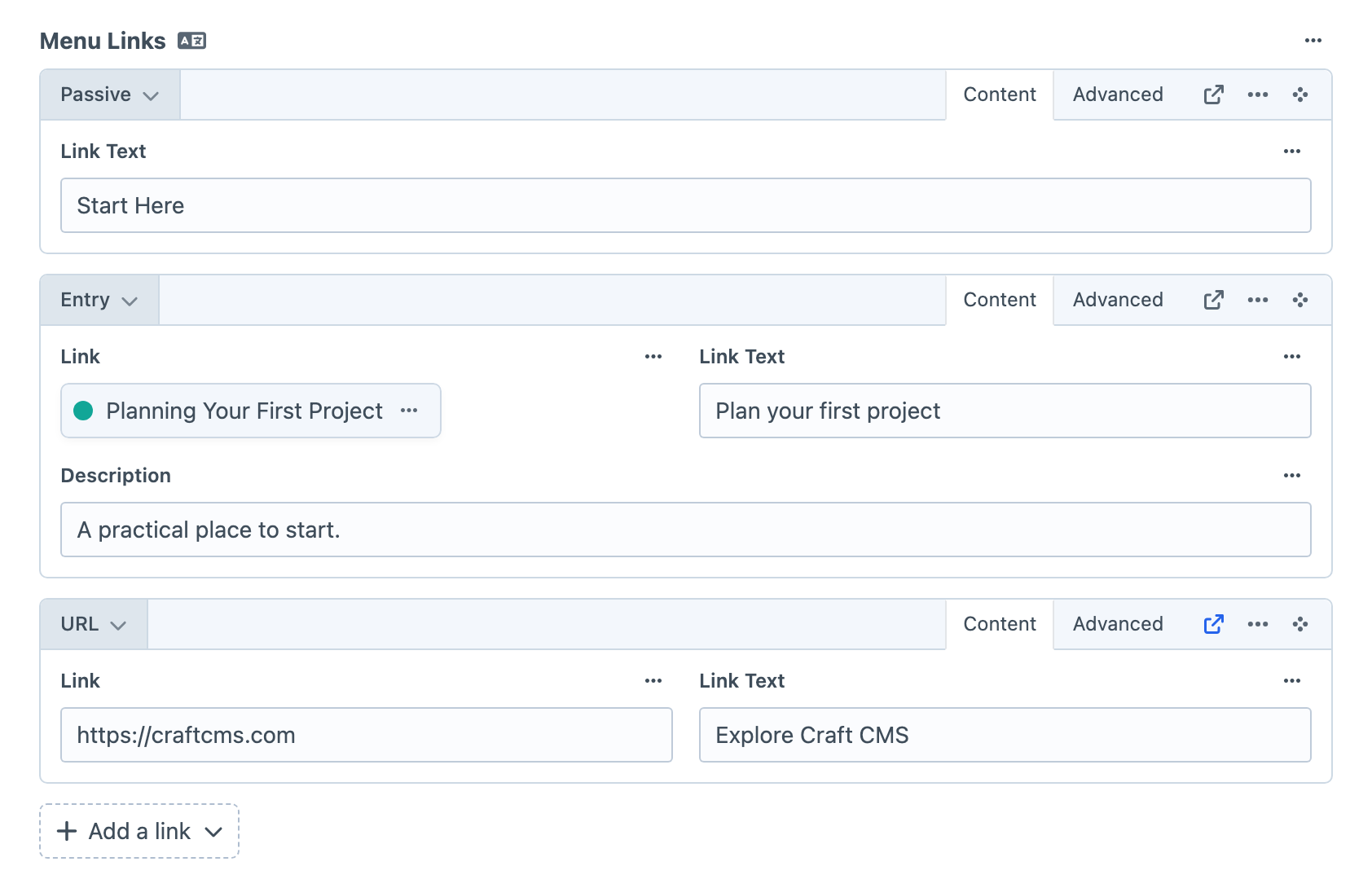
URL links can start with a Default Link Value, or use Fixed Link Value to keep the destination locked while editors change other information. Page fragments such as #contact are supported too. Additional application URI schemes require configuration in allowedUriSchemes.
Link Text now supports default values and character limits, useful for buttons that need a consistent starting label and a little restraint. Embed links gain per-type domain restrictions, improved YouTube thumbnail handling, and additional GraphQL fields for their content and metadata.
Explore the link types guide for the options available to each type.
Shared Lists Across Languages
For multi-link fields on entries using Translate for each site, editing the list synchronises additions, removals, and order across sites while retaining translated labels for matching links. This gives you a shared structure, rather than independently arranged lists for each language. The multisite guide explains destination handling too.
A Few More Improvements
There's plenty more in this release, including:
- More convenient asset uploads. Asset link types can specify a default upload volume and subpath.
- Flexible new-window controls. Add a native New Window field to a link type's layout when you want that setting alongside its other fields.
- Custom field values in GraphQL. A shared
fieldsproperty exposes permitted custom layout values without requiring a fragment for each concrete link type.
The full changelog covers the remaining additions, changes, and fixes.
Wrapping up
Be sure to check the upgrade guide for changes that affect your project. Thanks to everyone who tested the betas and shared feedback.
Hyper 3 (opens new window) is available today on the Plugin Store.