

Navigation 4 brings a new menu builder, faster loading, and more ways to work with menus in your templates. Whether you’re managing a simple header or a larger site navigation, there are some useful improvements to get into.
If you want to jump straight in, the Navigation 4 docs and upgrading from v3 guide have install steps and migration notes.
A New Menu Builder
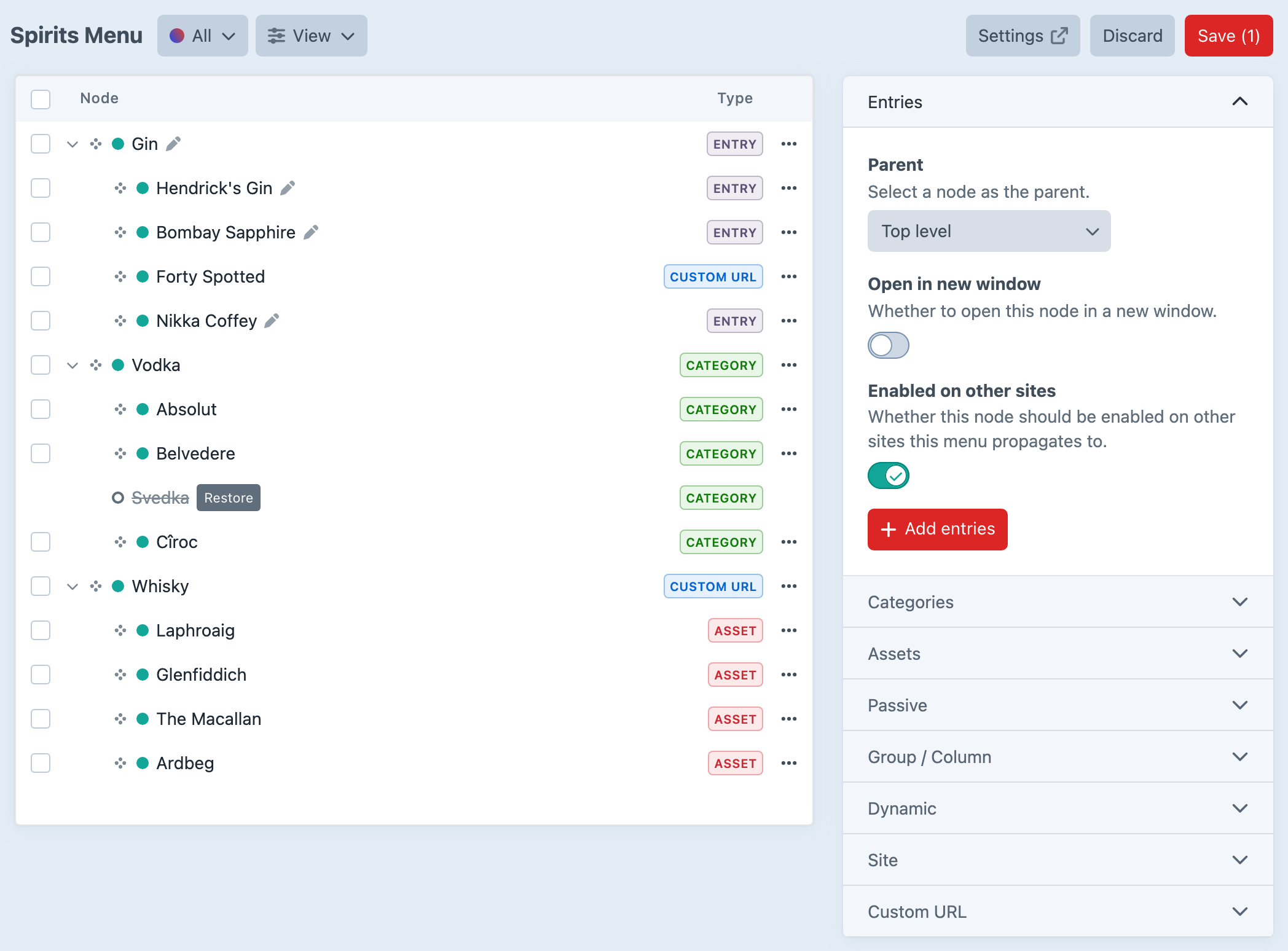
One thing you’ve been asking for is the ability to edit a menu without every change going live straight away. Navigation 4 lets you add, move, and remove nodes, then choose Save menu when you’re ready to publish those changes—or Discard to leave the live menu as it was.
This is all part of the new menu builder, built with React and our shared Plugin Kit framework.
From Navs to Menus
We’ve renamed navs to menus throughout Navigation 4. We never really liked “nav”, and the new name carries through to the API: craft.navigation.menu(), getMenuByHandle(), and getAllMenus().
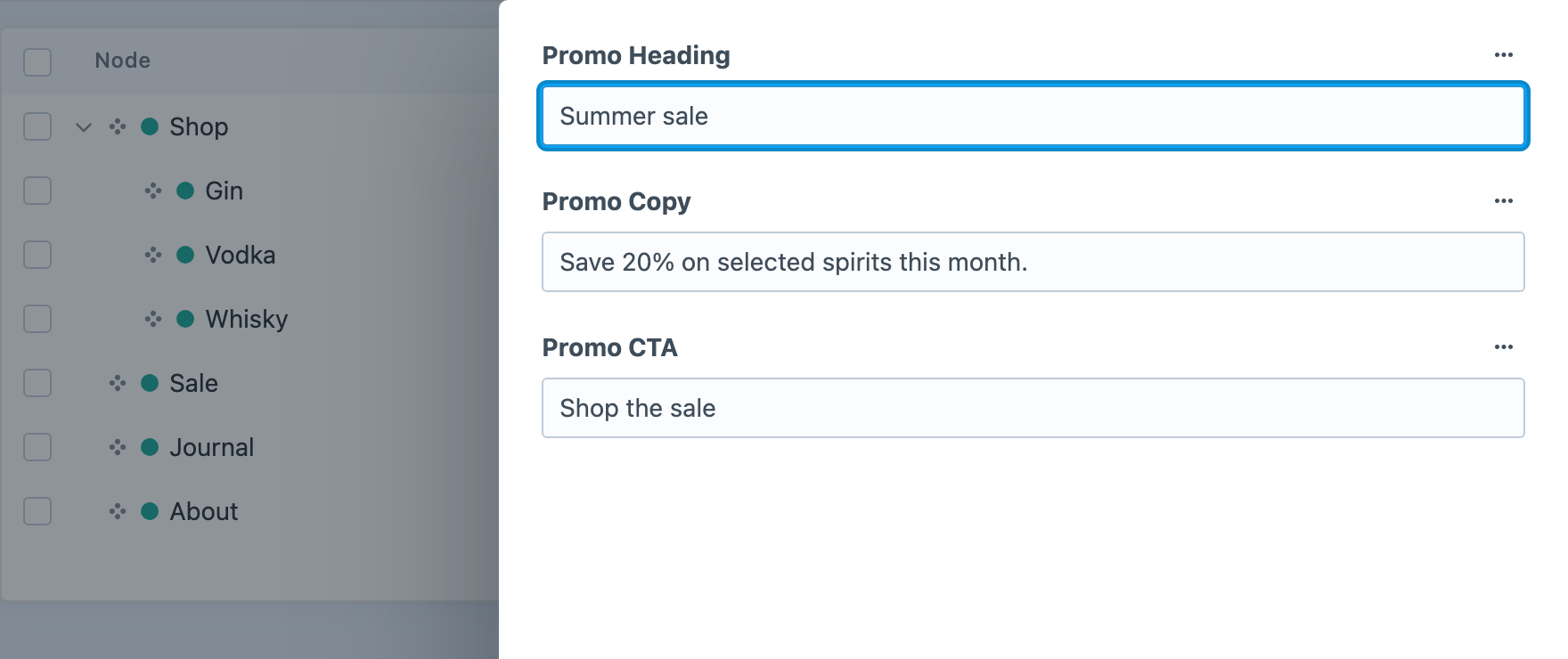
It’s more than a rename, though. Menus are now Craft elements, so you can query them directly and add custom fields to the menu itself. Mega menu promo panels, footer taglines, global CTAs — content that belongs to the whole menu now has a home.
Configure your field layout on the Menu Fields tab, then edit the values for each site under Menu Content. In your templates, fetch the menu with craft.navigation.menu('mainMenu').one() and access its fields just like any other Craft element.
Dynamic Nodes
Some parts of a menu should look after themselves. A list of product categories, your latest blog posts, or links to downloadable resources shouldn’t need updating by hand every time your content changes.
Navigation 4 introduces Dynamic nodes, which automatically populate a branch of your menu from an entry section, category group, asset volume, or Commerce product type. Choose a source, narrow down what appears with conditions, and set the order. You could show your five latest blog posts under “News”, for example, without adding each one to the menu yourself.
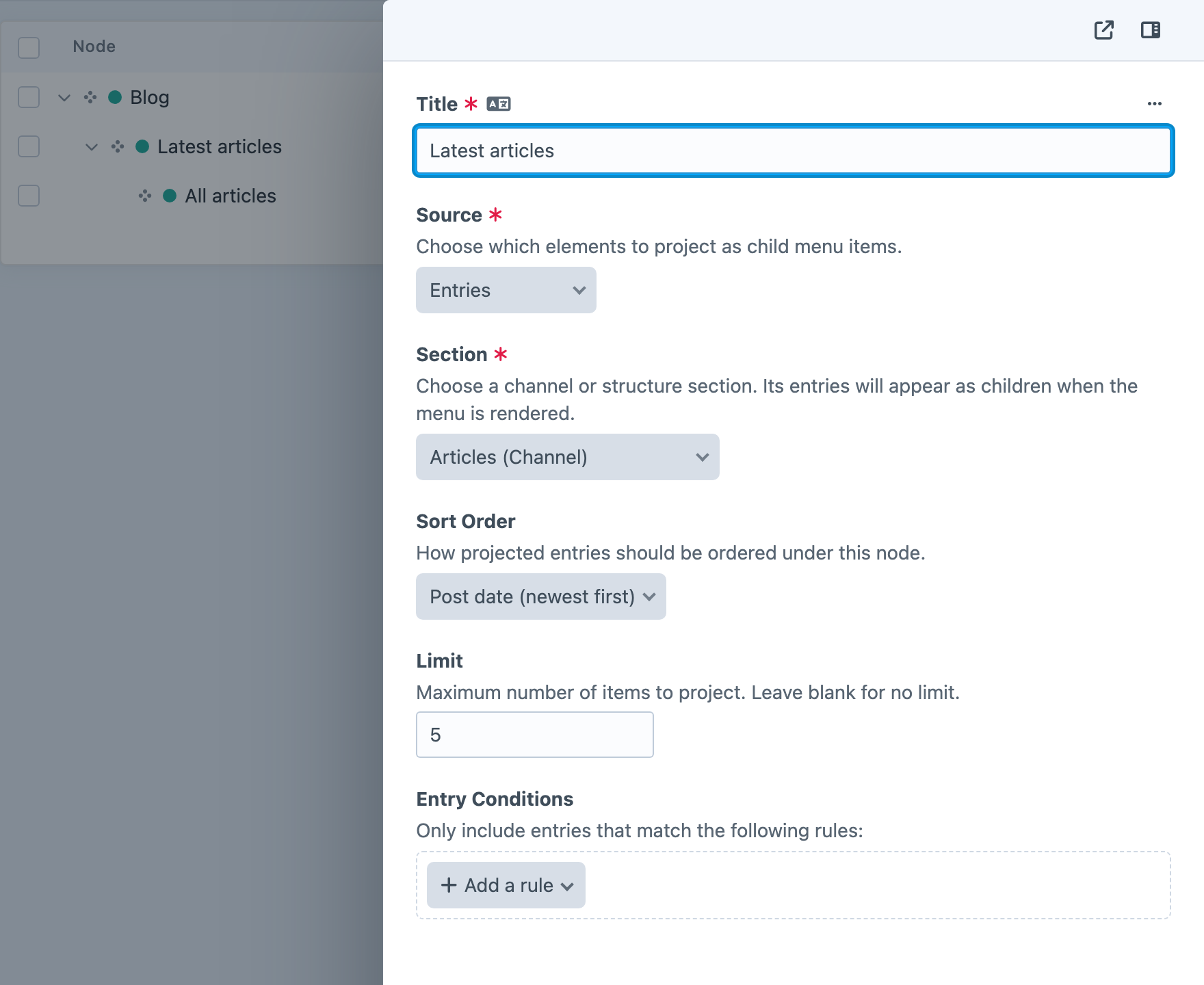
The list updates as content is published, so your menu keeps up with your site. You can also mix in hand-picked links: any children you add manually appear first, followed by the automatic list.
Help Visitors Find Their Way
Your main menu is often just the start. You might also need a sidebar showing pages in the current section, a breadcrumb trail, or a dropdown that stays highlighted while visitors browse its child pages.
Navigation 4’s new Context API helps you build these from the menus you already have. Start with craft.navigation.context('mainMenu'), then ask for the current branch, nearby pages, children, or ancestors. A section sidebar can follow visitors as they move through the site, without a separate menu to maintain or complicated parent queries in your templates.
We’ve also improved how Navigation identifies the current page and its parent branches. You can style the current link separately from the section it belongs to, keeping a “Products” dropdown highlighted while someone browses an individual product.
Breadcrumbs get dedicated helpers, too. Use craft.navigation.menuBreadcrumbs() to follow your menu’s hierarchy, or craft.navigation.urlBreadcrumbs() to build a trail from the URL’s path segments. Choose whichever best fits how your site is organised.
Built For Speed
Your menus appear on almost every page, so the work involved in loading them adds up. Navigation 4 reduces that work, particularly for larger menus with several levels of links.
Loading a menu’s children no longer needs a fresh database query at every turn. Navigation assembles the relationships in memory, and can load linked entries, categories, and assets together. That means fewer trips to the database as your templates work through the menu.
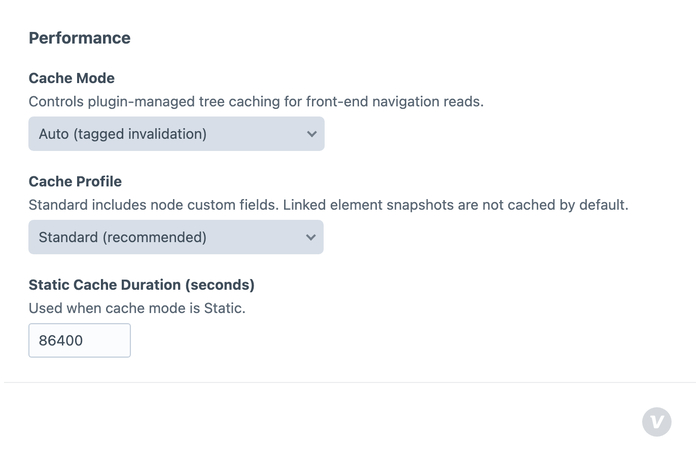
Built-in caching helps with repeat visits, too. Navigation can reuse the assembled menu and refresh it when relevant content changes. Current-page highlighting is calculated separately for each request, so visitors still see the right link highlighted as they move around your site.
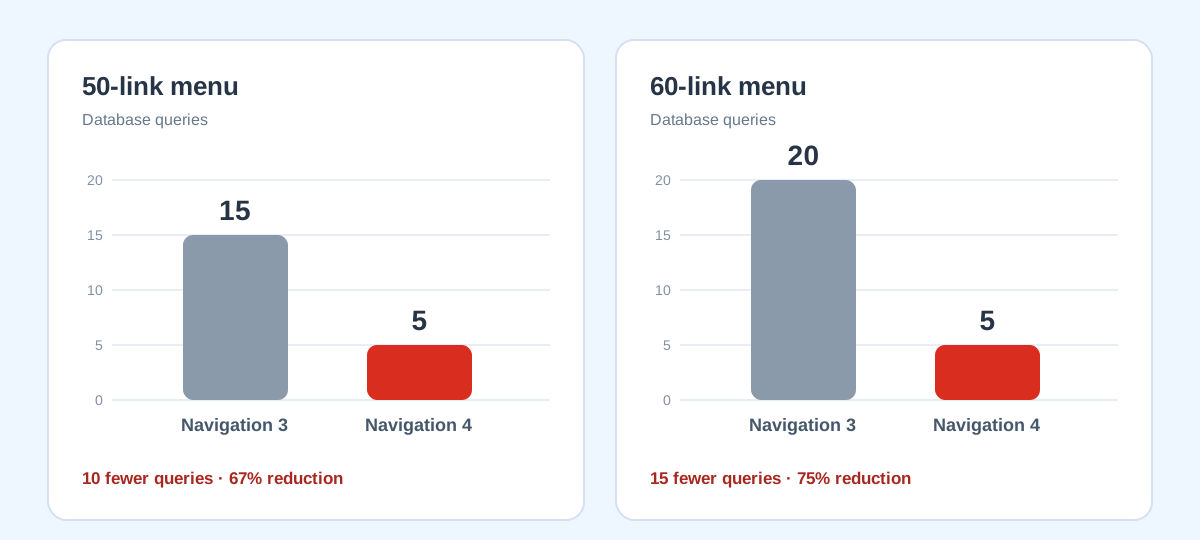
In our tests, a 60-link menu with two levels went from 20 database queries in Navigation 3 to just 5 in Navigation 4. That’s 75% fewer queries, using the same menu and template. A similar 50-link menu dropped from 15 queries to 5. Your results will depend on your menu and templates, but for nested menus, the savings can be substantial.
Measured on repeat page requests in our local Craft 5 test environment.
For most sites, the defaults are a good place to start. If you’re working with a particularly large menu or want to fine-tune your templates, our performance guide covers the options, how to measure the difference, and common patterns that create unnecessary database work.
A Few More Improvements
There are plenty of smaller changes throughout Navigation 4, too:
- More control across sites. Custom URLs, URL suffixes, and linked-element sites can vary between sites. Choose how node titles are translated, and copy individual nodes to another site when you need to.
- More options for headless builds. New GraphQL queries bring menus, contextual navigation, and menu-based breadcrumbs to your front end, with options to include linked content and Dynamic node children.
- Groups and columns. The new Group/column node type helps organise larger menus into sections, giving your templates structure to work with when building dropdowns and mega menus.
- Links that follow your content. Nodes linked to deleted elements are disabled, then re-enabled when those elements are restored.
- Updated integrations. Feed Me mappings have been updated for Navigation 4, and
craft.navigation.invalidateCache()gives you a way to clear Navigation’s cache as part of a custom workflow, including setups using Blitz.
The full changelog (opens new window) covers the rest.
Upgrading From v3
Navigation 4 is a major release, but we’ve kept much of the upgrade work automatic. Existing menus migrate across, including the changes from “nav” to “menu” naming. Older Twig and PHP APIs still work with deprecation notices, giving you time to update your templates and integrations.
One thing to check is getActiveNode(), which now returns the deepest node matching the current page’s URL. If your templates relied on it returning a parent to build section navigation, the new Context API is a good replacement.
Back up your site and test the upgrade on staging first. Our upgrade guide covers the changes, template examples, and anything else you’ll need to check.
Wrapping up
Navigation 4 is available today for Craft 5 on the plugin store (opens new window).
Happy menu building!