Footnotes in CKEditor
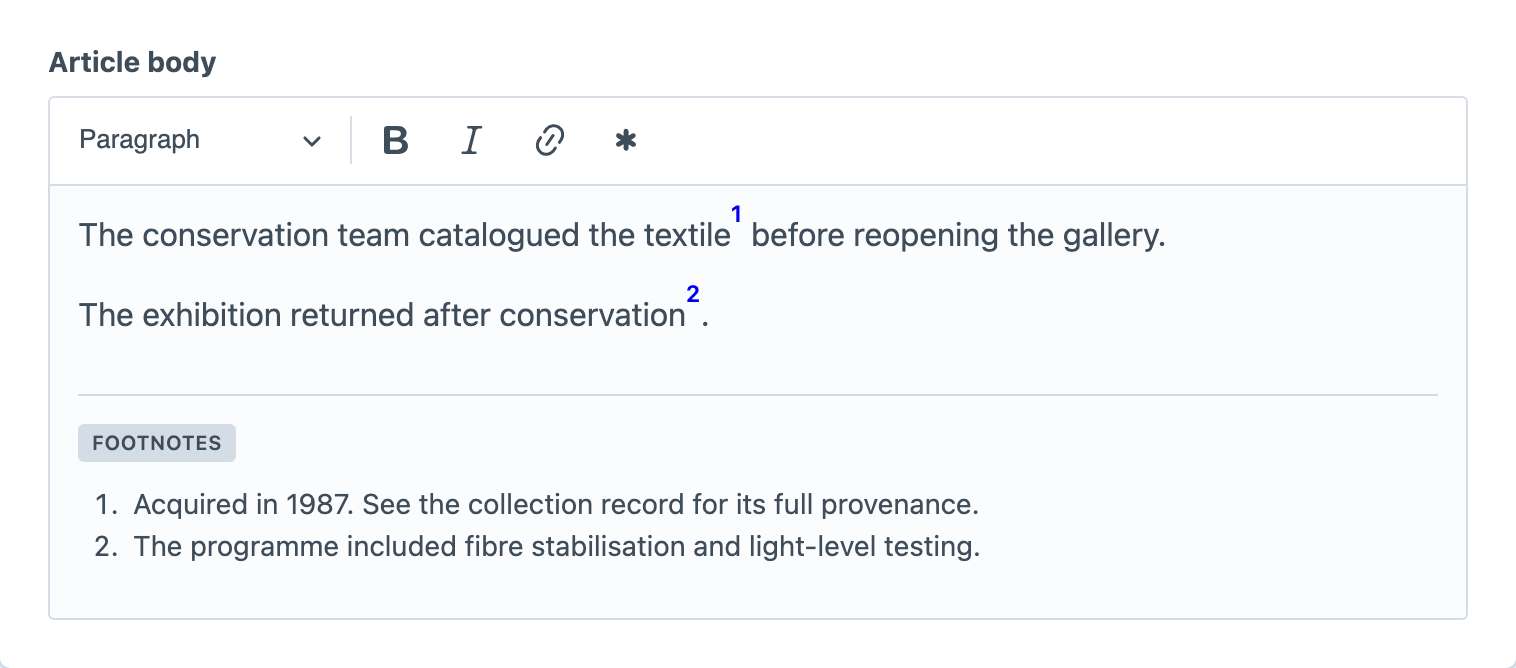
Footnotes keeps each reference and its definition in the same CKEditor document. Authors write the main passage in the usual editing area, while definitions appear in a dedicated footnotes region at the end of that field. The saved field value contains both parts, so ordinary field output is a complete, linked document.
Add the Footnote Button
Open Settings → CKEditor, create or edit a CKEditor configuration, and drag the Footnote button into its toolbar. Assign that configuration to each CKEditor field where authors should be able to create footnotes.
The button belongs to the chosen CKEditor configuration rather than every rich-text field. This lets a site offer footnotes in an article body without adding them to short summary fields.
Create and Edit a Footnote
Place the caret where the reference should appear, then select Footnote. CKEditor inserts a numbered reference, creates its definition in the footnotes region, and moves the caret there so you can start writing. If you select text before using the button, that text becomes the initial definition.
Definitions support paragraphs, links, bold and italic text, subscript and superscript, soft breaks, and simple bulleted or numbered lists. A definition cannot contain another footnote, an image, a table, an embedded entry, or media. This keeps the region focused on supporting notes rather than complete page layouts.
Select a numbered reference to return to its definition. From inside a definition, press Ctrl+Enter (or Command+Enter on macOS) to return to that note's first reference.
Reuse or Separate Definitions
Copying and pasting a reference inside the same field creates another reference to the same definition. Both markers display the same number, and the definition receives a return link for each occurrence.
Pasting a reference into another CKEditor field carries its rich definition but creates a separate note. Changes in one field therefore do not unexpectedly change another. Two notes created separately remain separate even when their wording is identical.
Removing one of several shared references keeps the definition. Removing the last reference removes the definition too, and the editor's normal undo command restores both. An empty definition remains valid until its last reference is removed.
Render the Saved Field
The saved CKEditor value already contains numbered references, the ordered definitions region, and accessible return links. If an entry has a CKEditor field with the handle body, place this in the entry's Twig template:
{{ entry.body }}The page displays the body and its footnotes together. No Footnotes-specific Twig call or frontend JavaScript is required.
When a design needs to move the definitions elsewhere, combine notes from several fields, or control the list markup, follow Rendering Footnotes to use a footnote collection.