Sources
Sources connect Metrix to analytics providers. Create them under Metrix → Sources, then pick a Source when configuring each widget.
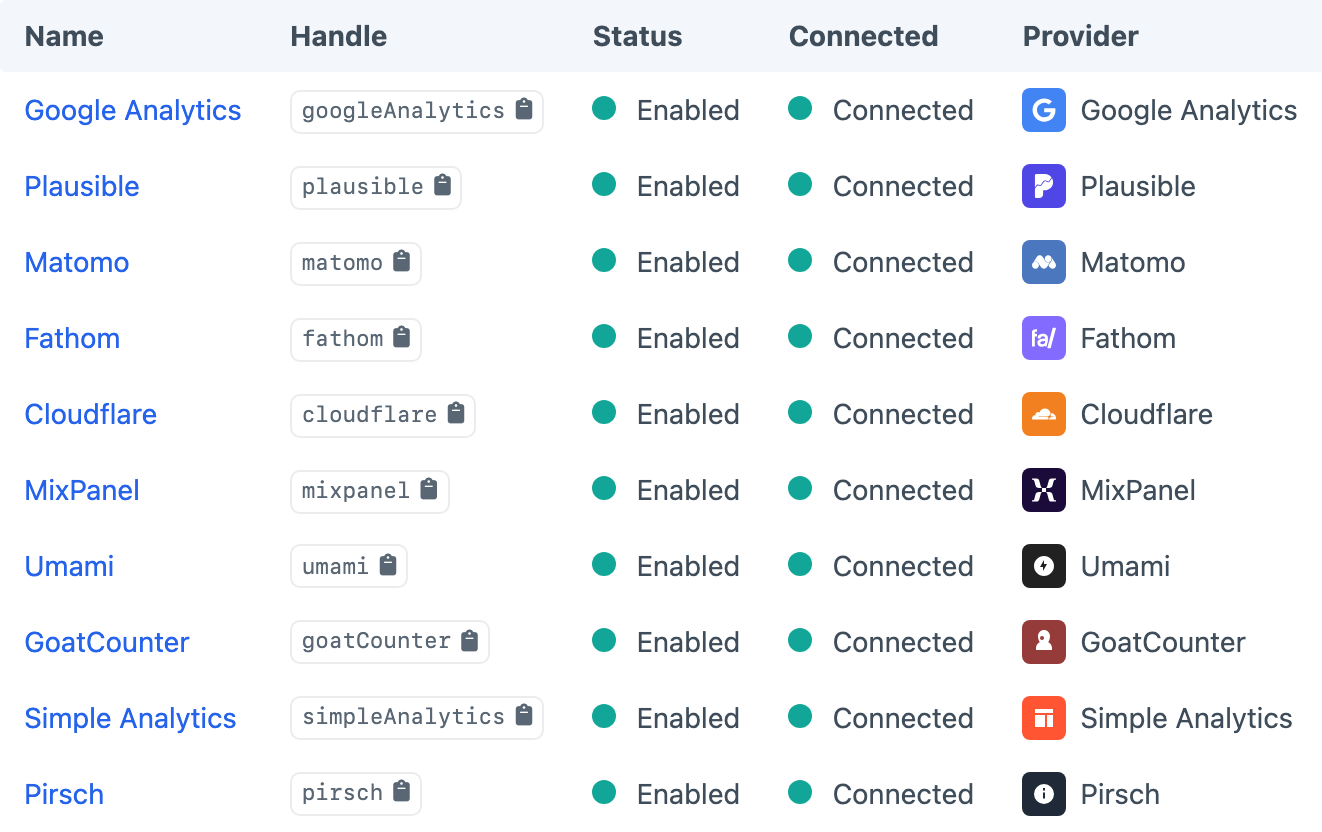
You can mix Sources from different providers on the same dashboard. OAuth providers (such as Google Analytics) use a Connect handshake; others use API keys or client credentials you paste into the Source settings.
If a Source shows as Not Connected after tokens expire, reconnect from the Sources screen — widgets will surface a reconnect message instead of a raw API error.
Choose the matching setup page in Providers before entering credentials. For example, Google Analytics explains how to authorise a Google account, while Plausible explains its API-key and team-access requirements.
Provider Capabilities
Not every provider supports every widget feature:
| Provider | Realtime | Dimensions (table/pie) | View analytics scope | Auth |
|---|---|---|---|---|
| Google Analytics | Yes | Yes | Yes | OAuth |
| Plausible | Yes | Yes | Yes (path) | API key |
| Matomo | — | Yes | Yes | Credentials |
| Fathom | Yes | Yes | — | Credentials |
| Umami | Yes | Yes | — | Credentials |
| Pirsch | Yes | Yes | — | Credentials |
| Cloudflare | — | Yes | — | Credentials |
| Goat Counter | — | Yes | — | Credentials |
| Simple Analytics | — | Yes | — | Credentials |
| Mixpanel | — | No | — | Credentials |
To display live activity, choose a Realtime widget and a Source marked Yes in the Realtime column. View scope is configured on the View; unsupported Sources ignore it.