

Vizy 4 is here for Craft CMS 5.9 and later. It brings rich text and structured Craft content together in a completely rebuilt editor, with more control for developers and a clearer, faster experience for authors.
This is a major release with a new document model, GraphQL schema, and extension APIs. If you're upgrading an existing site, start with the Vizy 4 upgrade guide and test the complete upgrade on a copy before touching production.
The Editor, Rebuilt
Vizy has always been about mixing rich text and purpose-built Craft fields in one editing flow. Vizy 4 keeps that familiar approach, but the editor underneath it has been rebuilt around TipTap 3 (opens new window).
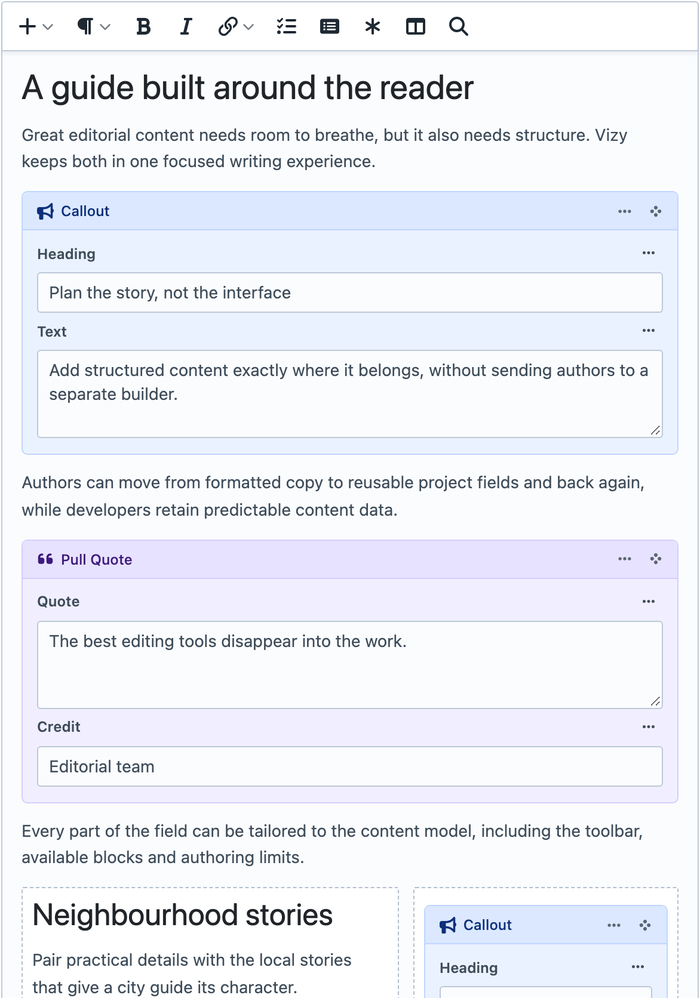
For authors, writing, formatting text, and adding Vizy Blocks should still feel the same. What we've spent time on is the experience and polish — toolbars, menus, dialogs, block controls, and keyboard interactions behave more consistently across the editor.
Behind the scenes, we've moved away from Vue and rebuilt the interface with Web Components and Plugin Kit. Vizy's document model and extension APIs have been rewritten too. Most authors will never need to think about that, but it gives us a cleaner foundation for the future, including layouts, nested Vizy fields, footnotes, task lists, and more.
Reusable Editor Configs
Vizy 4 replaces field-by-field editor JSON with named, reusable Editor Configs. Build a config visually under Settings → Vizy → Editor Configs, then use it across every field that needs the same authoring experience. You can also add configs when editing a field, even though they're global so you're not taken out of the field authoring experience.
Arrange the toolbar, dropdowns, Bubble Menu, and block insertion controls. You can override control icons too, including project SVGs, so the interface can use familiar symbols for the people working in it.
For the advanced users, you can also control the editor capabilities (what content is even allowed in the editor).
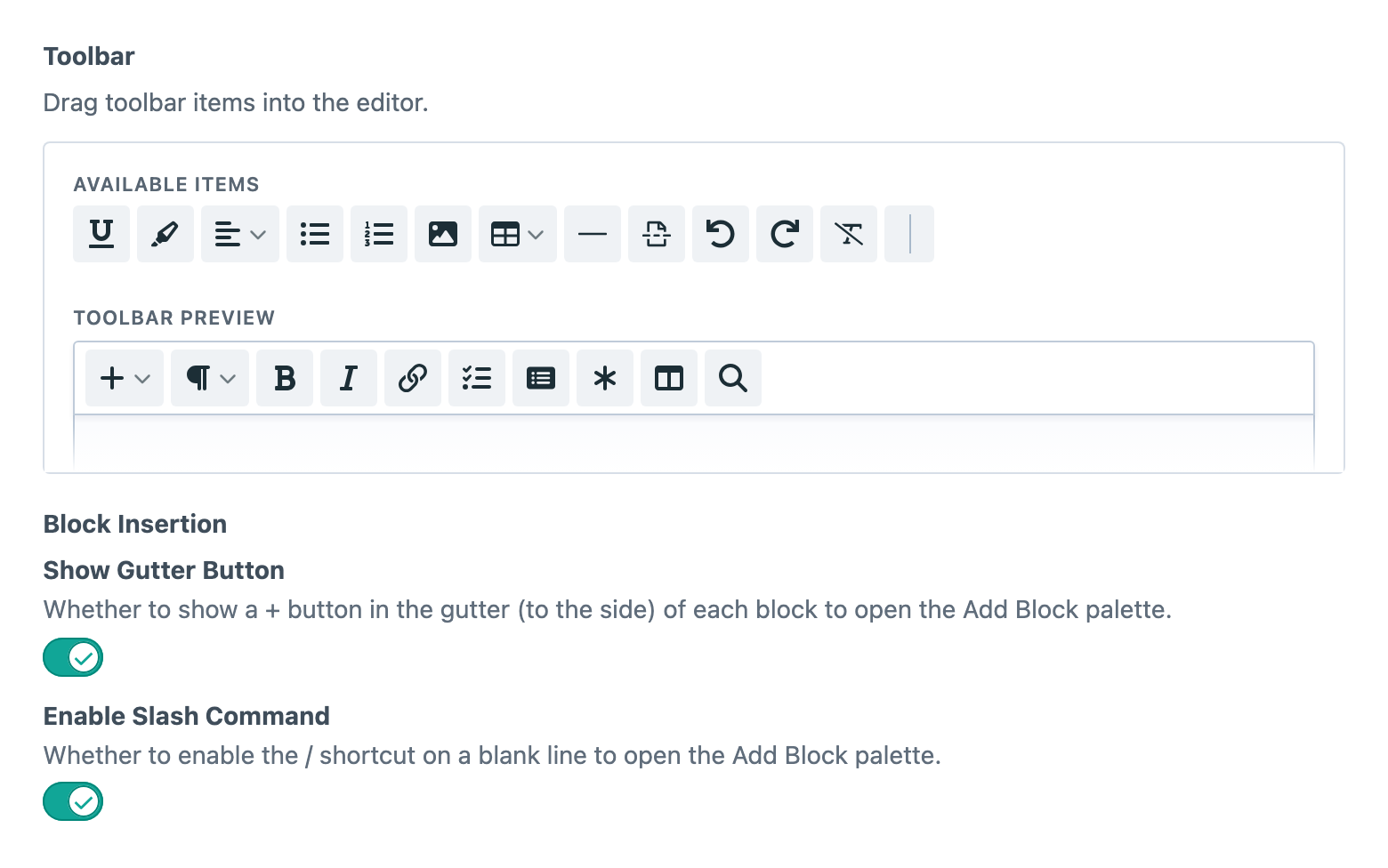
Configs can live in Craft's Project Config or as JSON files under config/vizy/. That gives teams a friendly visual builder for everyday setup and a repository-owned option when the configuration needs to travel with the project. The Editor Config docs cover both approaches.
Blocks That Belong To The Project
Vizy Blocks are still ordinary Craft fields assembled into a reusable piece of content: a Callout, Gallery, Pull Quote, Latest News section, or whatever your project actually needs.
In Vizy 4, Block Types are global definitions backed by Project Config. Create a type once, arrange its Craft field layout, give it an icon, colour, preview image, and Twig template, then make it available to any Vizy field that needs it. Each field controls its own allowlist and groups, so an Article Body might offer Editorial and Media blocks while a Sidebar keeps the choice deliberately small.
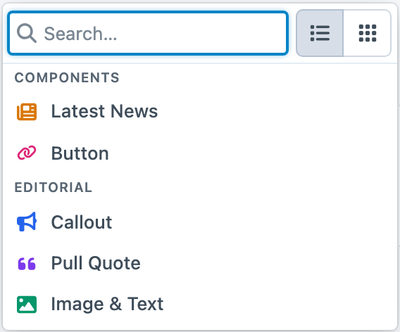
Authors can insert Blocks from the toolbar, the gutter +, or a / shortcut. The picker supports searchable list and grid views, and fields can choose which views are available and which one opens first. Importantly, block insertion methods are consistent, streamlined and more accessible.
Block Types can also use Craft's native conditions. Make a Block available only when the containing Entry matches a rule, or show fields and tabs inside a Block according to the values being entered. Collapsed Blocks pick up a useful text summary automatically, and their content can appear in Craft's native element-card previews.
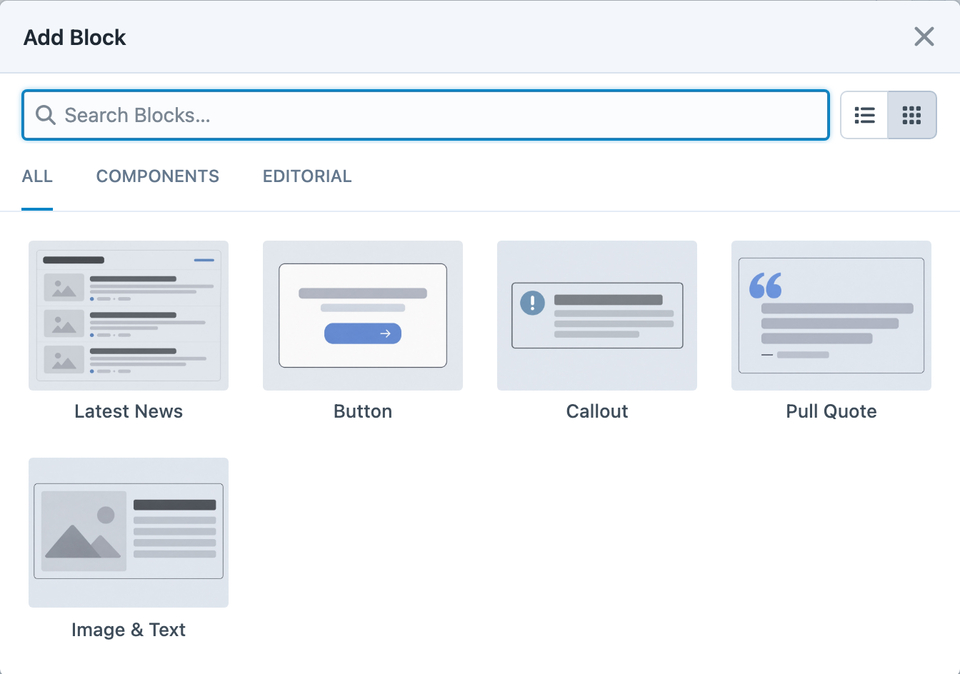
See Vizy Blocks and Block Types and Groups for the complete setup.
Layouts Without A Page Builder
Sometimes content needs two columns. It doesn't necessarily need an entire page-building system to get them.
Vizy 4 adds responsive Layout and Column nodes directly to the editor. Choose a preset, place rich text and Blocks inside its columns, then resize, reorder, or wrap them as the content takes shape. Layouts use a 12-column structure and store when their columns should stack; your frontend CSS decides what that breakpoint looks like on the site.
The important bit is that layouts remain part of the document. Authors can arrange a comparison, image-and-copy section, or cluster of related Blocks without losing the flow of the surrounding article. Developers keep control of the rendered markup and styling through predictable .vizy-layout and .vizy-column hooks.
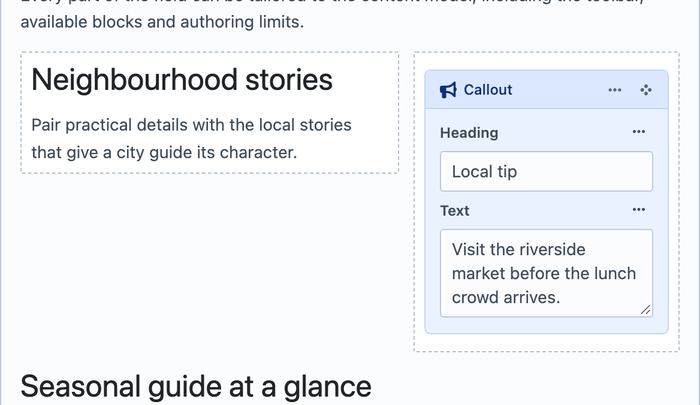
The Layouts documentation explains the authoring controls and links to a complete frontend styling example.
More Useful Tools For Authors
The rebuilt editor comes with some new additions:
- Task lists and collapsible Details sections.
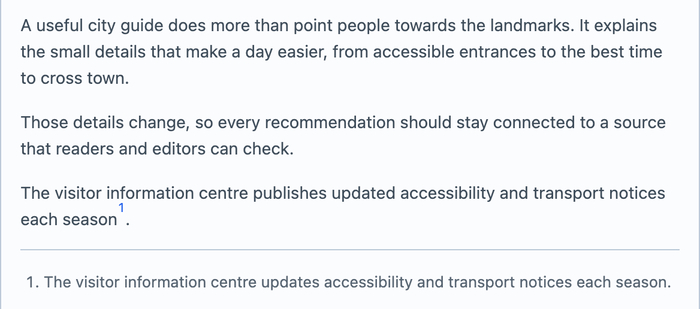
- Footnotes with paired references, editable definitions, automatic numbering, and keyboard navigation.
- Ruby text, emoji, syntax highlighting, font family, font size, text colour, highlighting, and line height controls.
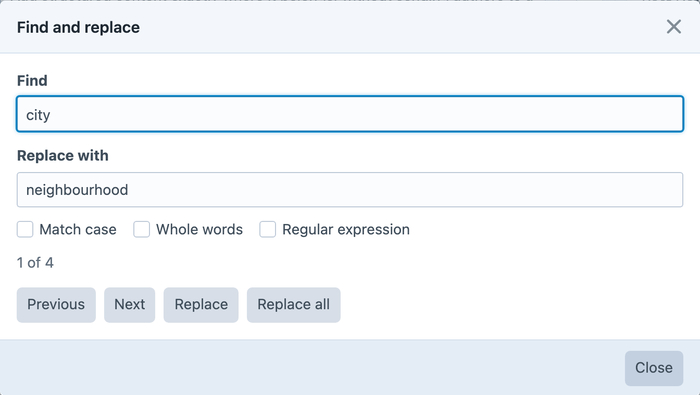
- Find and Replace with whole-word, case-sensitive, and regular-expression matching.
- Character counts, placeholders, typographic replacements, and more natural keyboard handling around lists.

These tools are opt-in through Editor Configs. A field only exposes the capabilities that make sense for its content, and the saved document is validated against that same effective config.
Pasting has received attention too. Content from Word and other rich-text sources is normalised to the destination field's capabilities, keeping readable text when the source contains a structure Vizy cannot represent. Links are checked for unsafe schemes, and media embeds use safe provider-aware output with a plain-link fallback where a player is not supported.
Browse the Editor Capabilities reference to see what can be enabled and where each control can appear.
GraphQL And Extensions
Headless projects get a new structural GraphQL API for documents, nodes, marks, layouts, Blocks, and their Craft fields. Fetch rendered HTML when Craft should own the output, or request typed nodes when the frontend needs to compose the result itself.
For extensions, Vizy 4 introduces supported PHP and JavaScript APIs for registering TipTap nodes, marks, behaviour modules, controls, dropdowns, link options, and rendering behaviour. That replaces the old approach of reaching into a particular editor implementation or DOM shape. The Extending Vizy guide maps out the moving parts and links to complete module examples.
Read Migrating CKEditor and Redactor Fields and Importing with Feed Me before running either workflow.
Ready To Upgrade
The upgrade guide covers the breaking changes and migration checks, while the release history (opens new window) has the complete detail.
Vizy 4 (opens new window) is available today on the Plugin Store. Have fun!